
Description
ZStack cloud platform supports USB transfer. USB devices on the host can be transferred to the cloud host on that host to load and use. If the cloud host and USB are not on the same physical machine, how can the cloud host mount and use USB devices over the network?
Environment
Cloud Platform Environment: ZStack Enterprise 3.10.0.89
Network environment: flat network/VPC network
Main Storage Environment: ZStack Enterprise Ceph
Mirror Server Environment: Mirror Warehouse
Physical Machine Operating System: ZStack Custom Centos7. 6
Cloud host operating systems: Windows Server2012 R2, Centos7. 4
Cause
To load USB devices on other physical machines, cloud hosts need to load USB devices onto cloud hosts by network forwarding
Resolution
1. Log in to the cloud platform, in the cloud resource pool, select the cloud host, click on the configuration information, select the USB device.
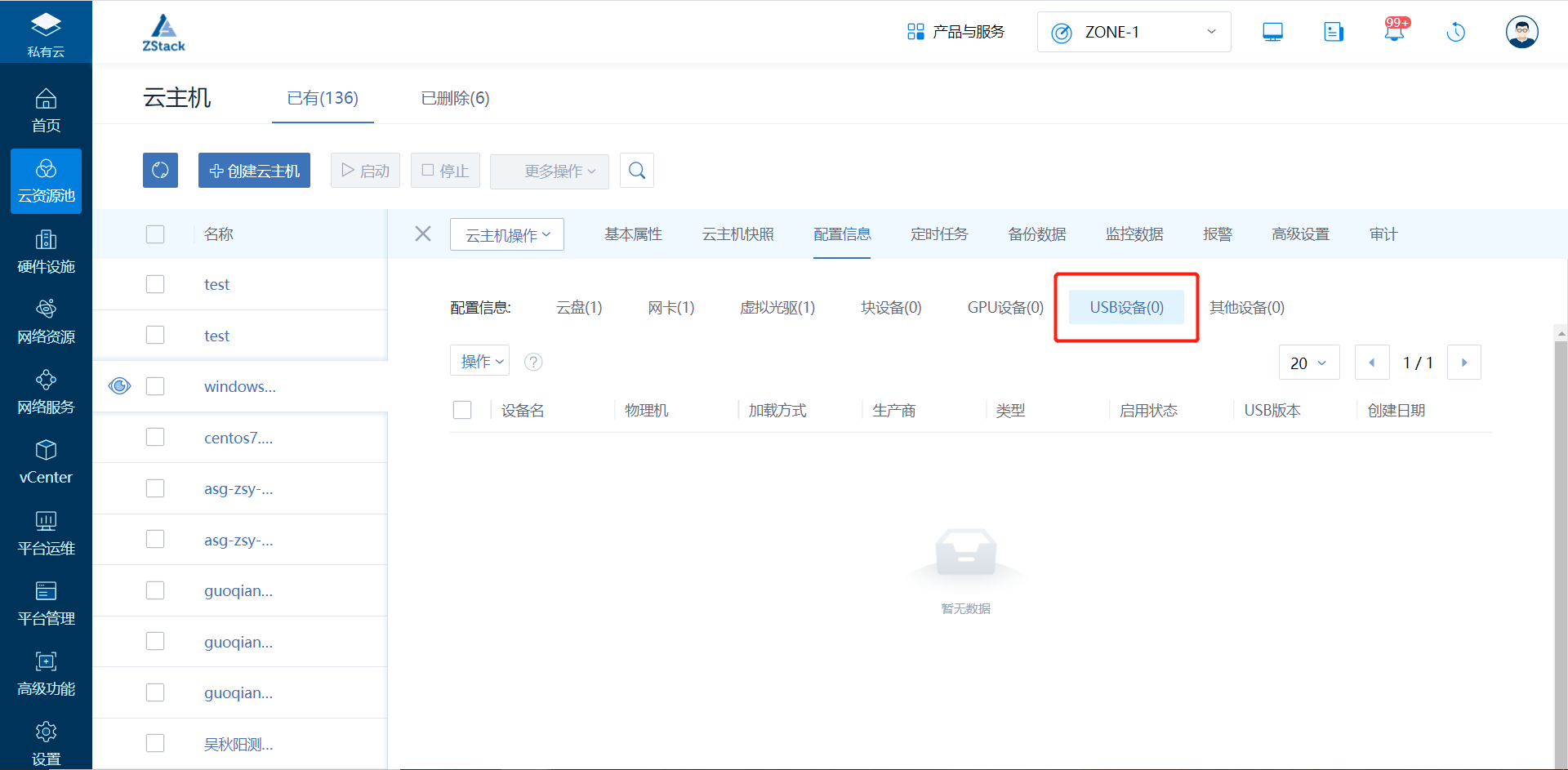
(Figure 1 goes to the USB device page)
2. Click to select loading and forwarding mode.
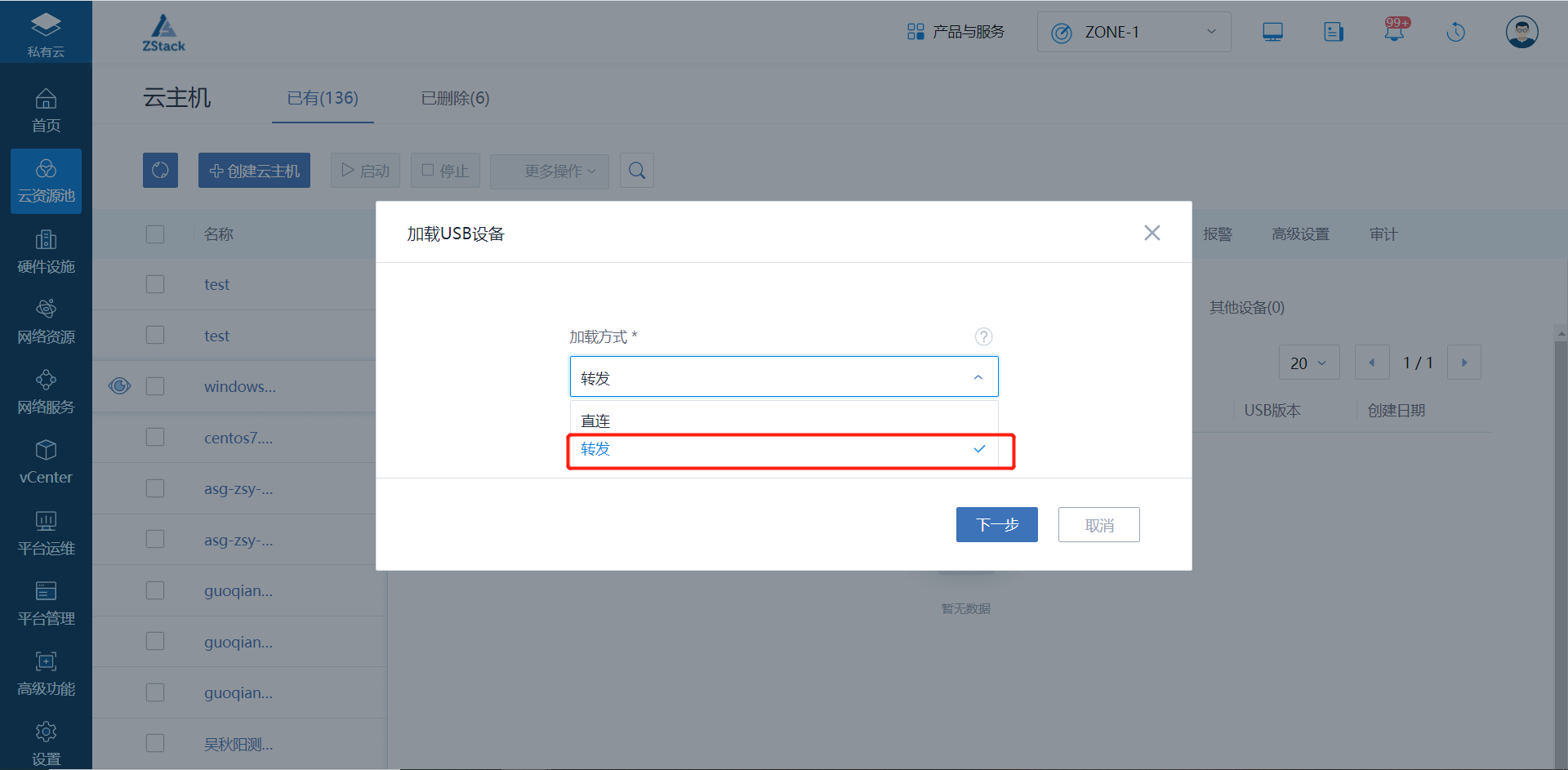
(Figure 2 chooses how to load)
3. Select the recognized USB device and observe the name, physical machine, type, status, version of the USB device.
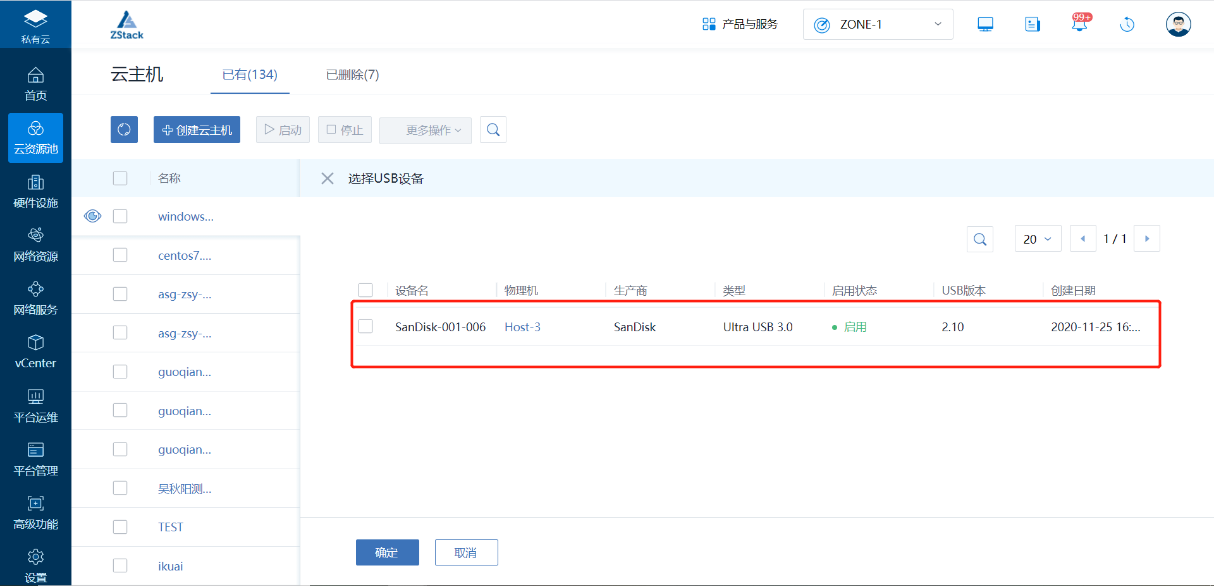
(Figure 3 selects the identified USB device)
4. After clicking OK, the USB device is successfully loaded on the cloud host by forwarding.
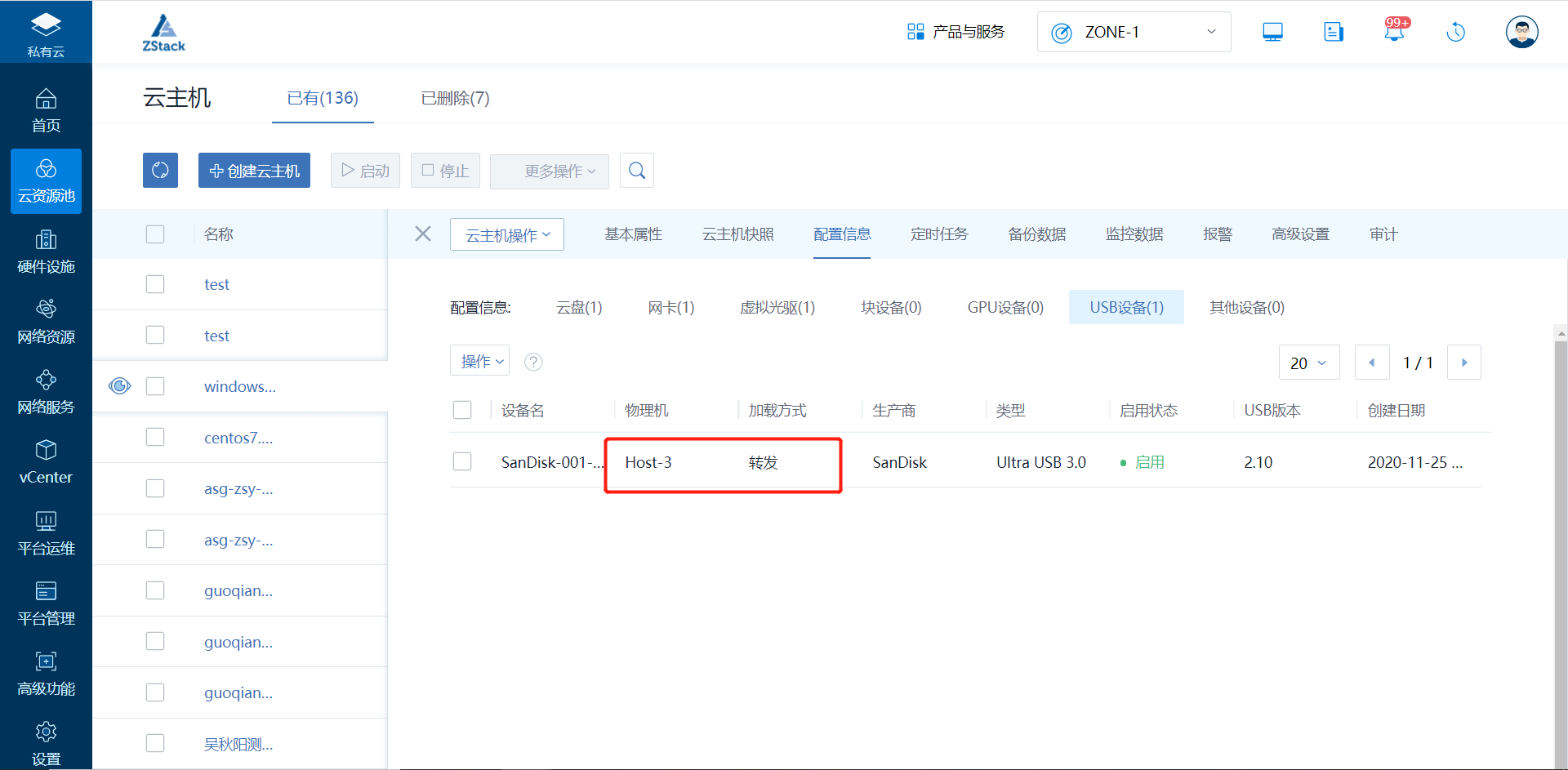
(Figure 4 successfully loads the USB device by forwarding)
5. Enter the cloud host operating system to view the USB device.
(1) Enter the Windows Cloud Host console (take the U drive for example here) to view the loaded USB devices.
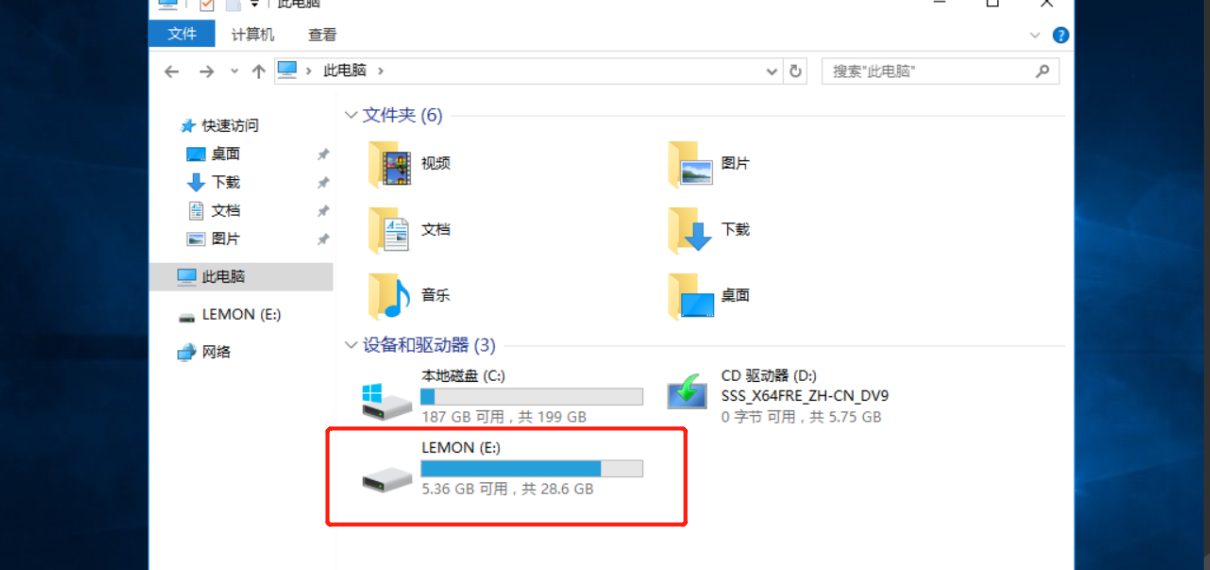
(Figure 5 shows loaded USB devices in the Windows console)
(2) Enter lsusb into the Linux cloud host console to view the loaded USB devices.
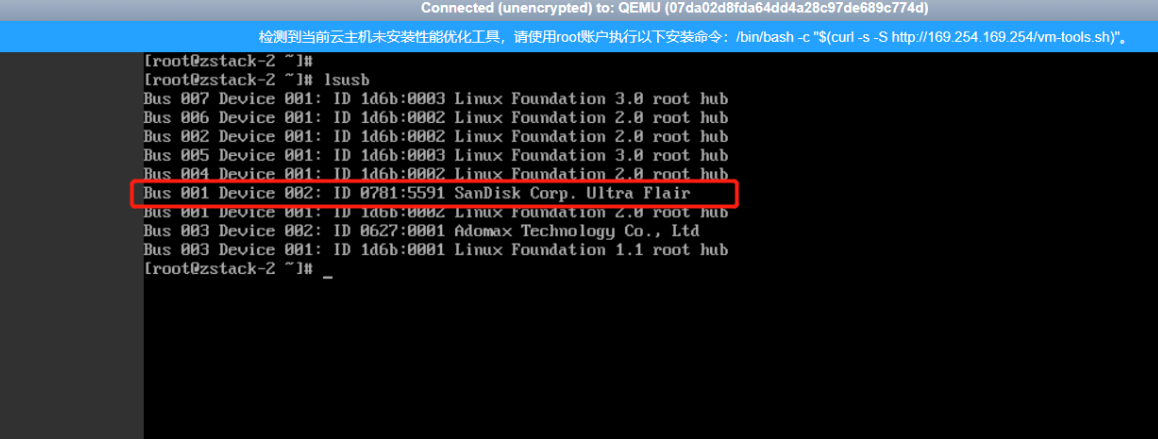
(Figure 6 shows the loaded USB device in the Linux console)
Comments
0 comments
Please sign in to leave a comment.