
Description
Use the performance optimization tool on the ZStack cloud platform to optimize the performance of Windows system export mirror version. When you create a cloud host based on the mirror template later, the cloud host created after setting up Administrator in the advanced options automatically has an admin account. How can I solve this problem?
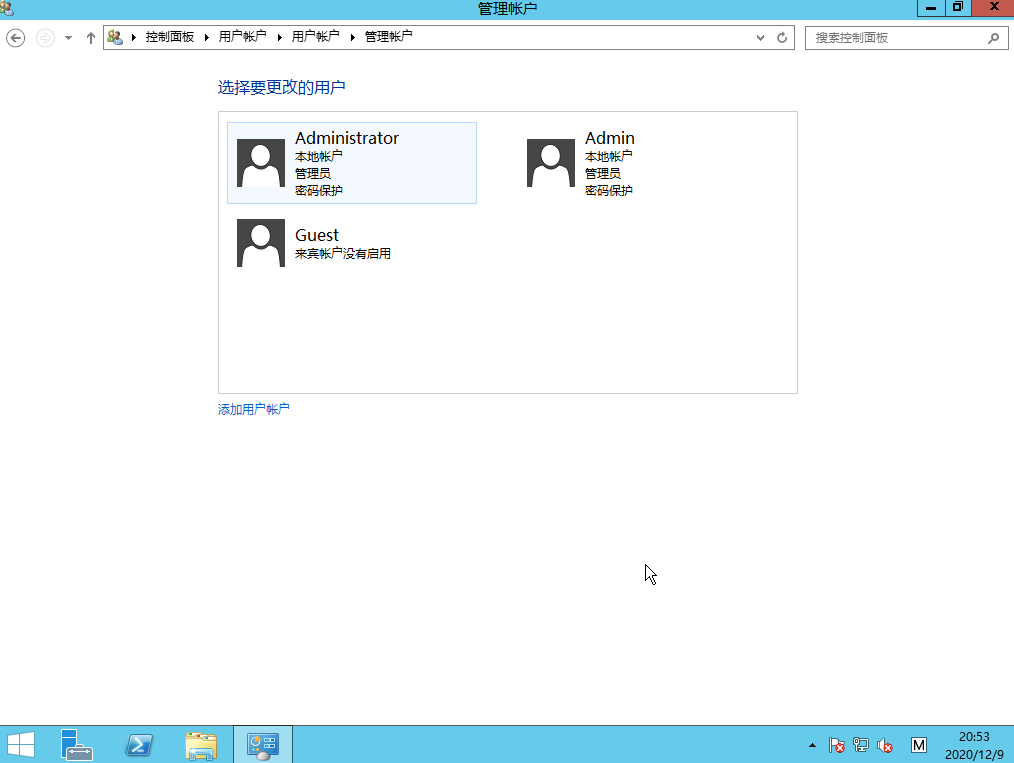
(Figure 1 shows an admin account with an administrator password set when creating a cloud host)
Environment
Cloud Platform Environment: ZStack Enterprise 3.10.0.1
Network environment: flat network/VPC network
Main Storage Environment: ZStack Enterprise Distributed Storage
Mirror server environment: Ceph type mirror server
Physical Machine Operating System: ZStack Custom Centos7. 6
Cloud host operating system: Windows Server 2012 R2
Cause
When the ZStack cloud platform installs performance optimization tools for Windows cloud hosts, it automatically installs the cloudbase-init tool, which enables the UserData injection, user name password modification and other profiles injection of Windows cloud hosts through the cloudbase-init service.
Resolution
1. Check the cloud host cloudbase-init configuration file created by the Windows Server 2012 R2 template, and the configuration file path:
C:\Program Files\Cloudbase Solutions\Cloudbase-Init\conf\cloudbase-init. Conf
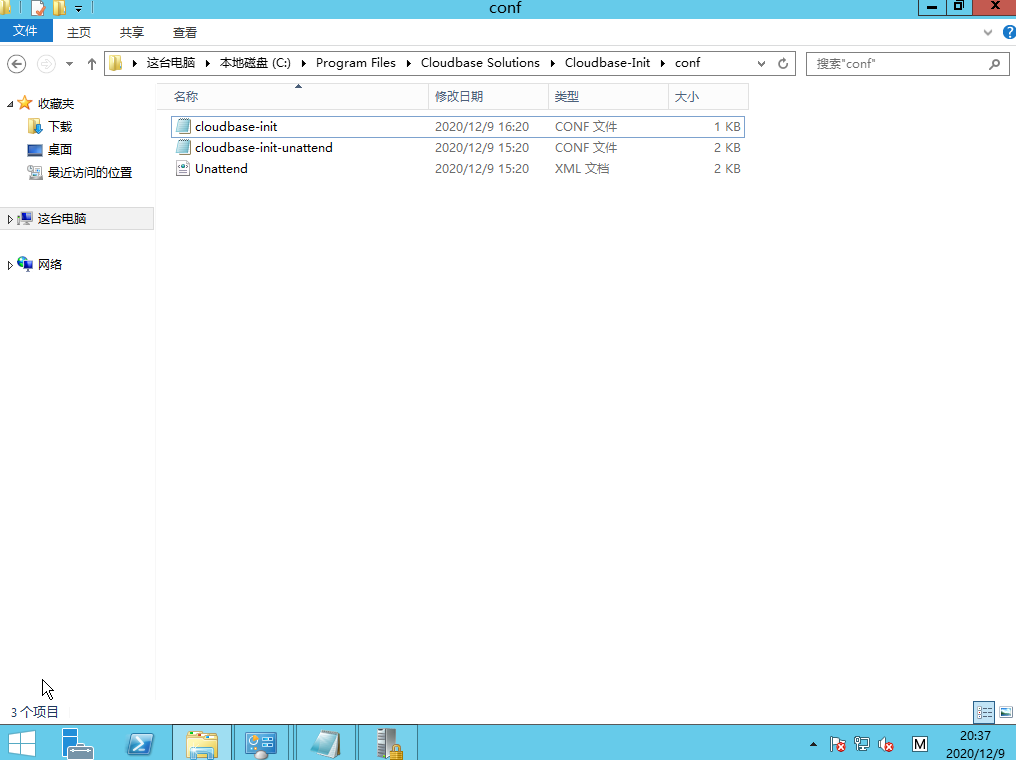
(Figure 2 cloudbase-init configuration file path)
Open the configuration file to see the details
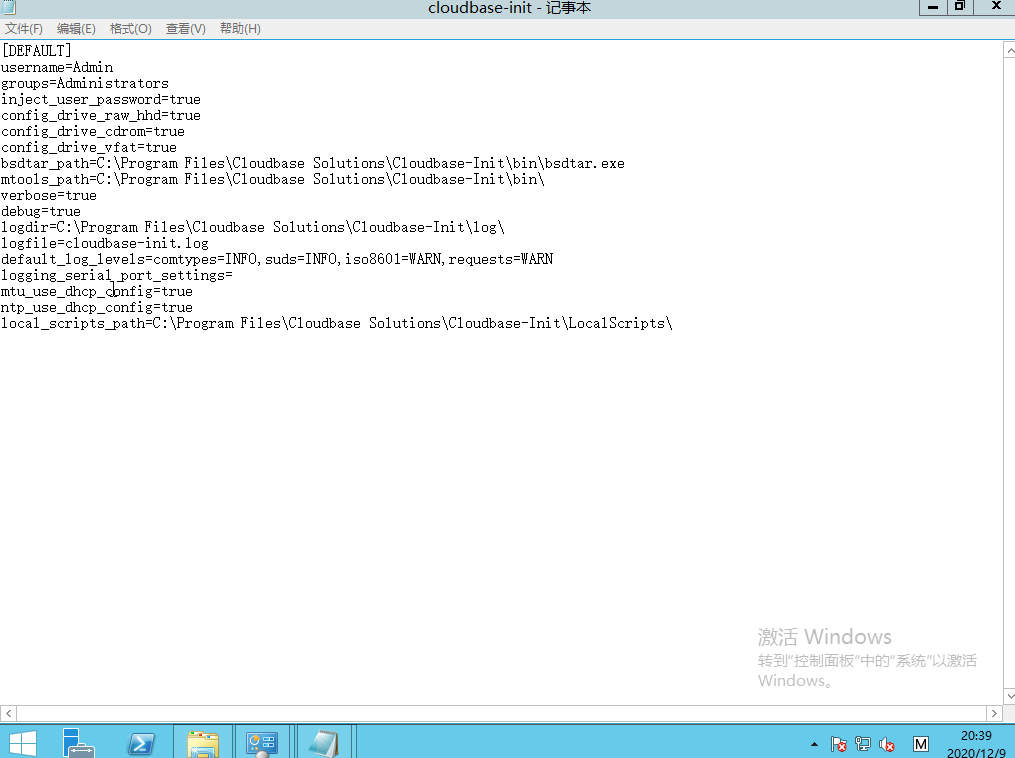
(Figure 3 shows the cloudbase-init configuration file)
You can see the default Username=Admin
2. Modify the username to an administrator account: Username=Administrator
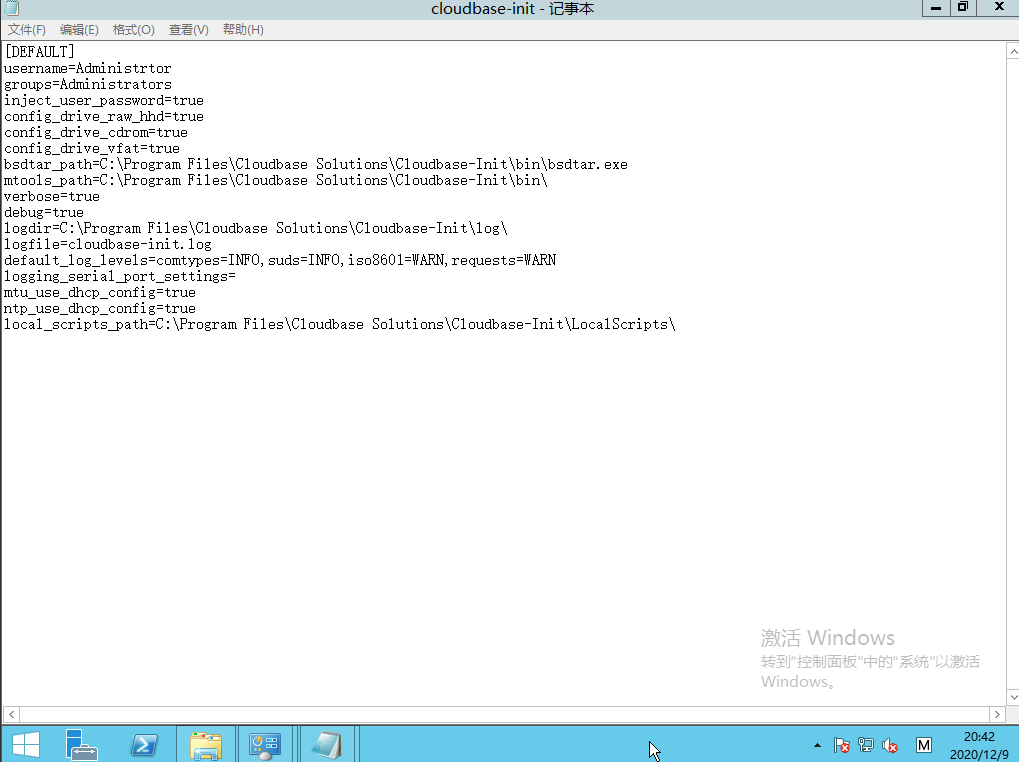
(Figure 4 modifies the cloudbase-init configuration file)
Save Exit
3. Turn off password strength.
Windows has password strength turned on by default and needs to be turned off. Otherwise, when you create a cloud host using the generated qcow2 template, the advanced option - Set Administrator Password, Set Password will not work if it is a simple password.
Cancel the password policy as follows:
Enter Control Panel - > "Management Tools" -> "Local Security Policy" -> Account Policy - > Password Policy - > "Password must meet complexity requirements" to "Disabled"
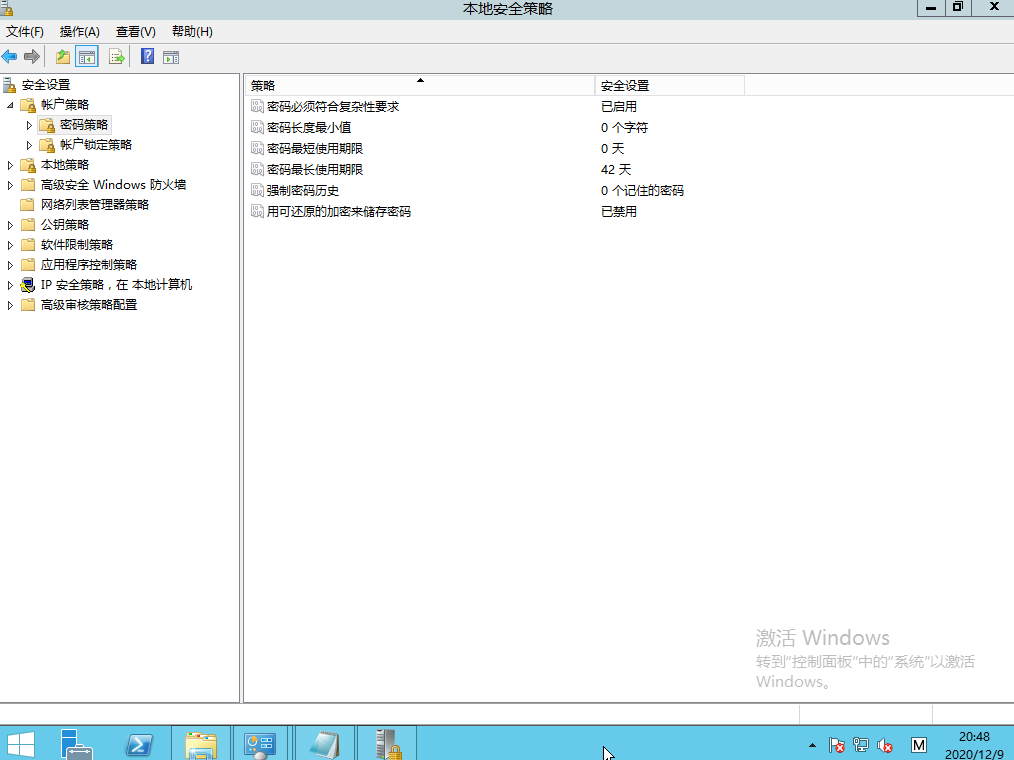
(Figure 5 shows password complexity settings)
Click to disable password complexity requirement selection
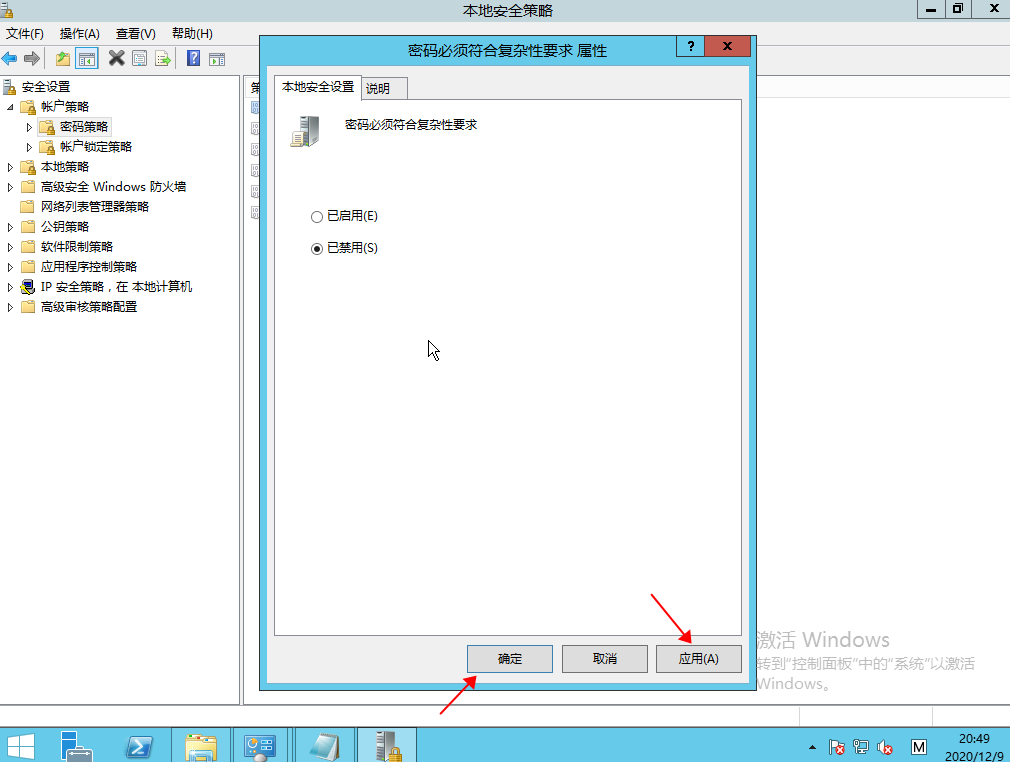
(Figure 6 disables password complexity settings)
4. Cloud hosts make mirror templates
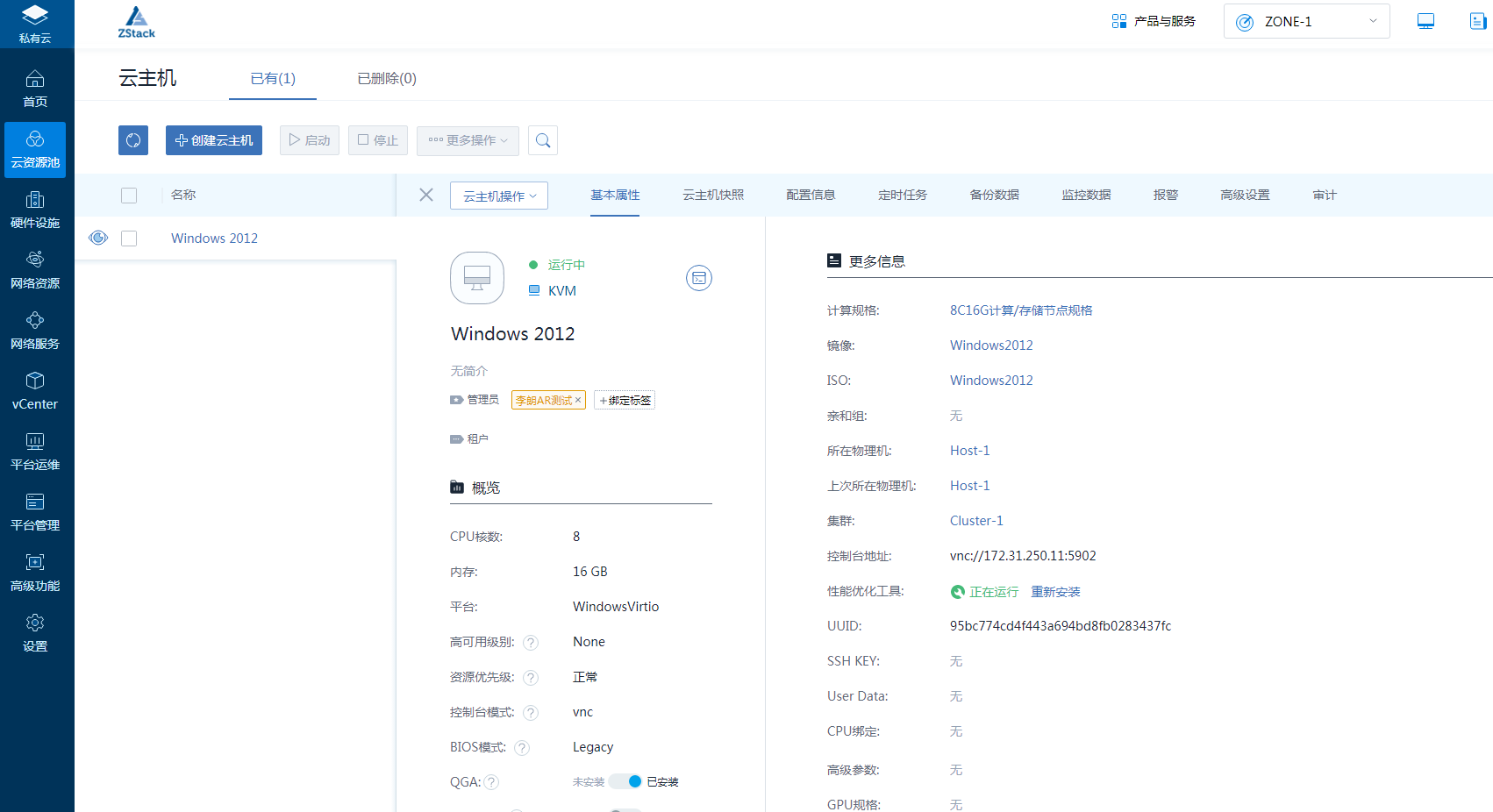
(Figure 7 finds a template cloud host to mirror the cloud host)
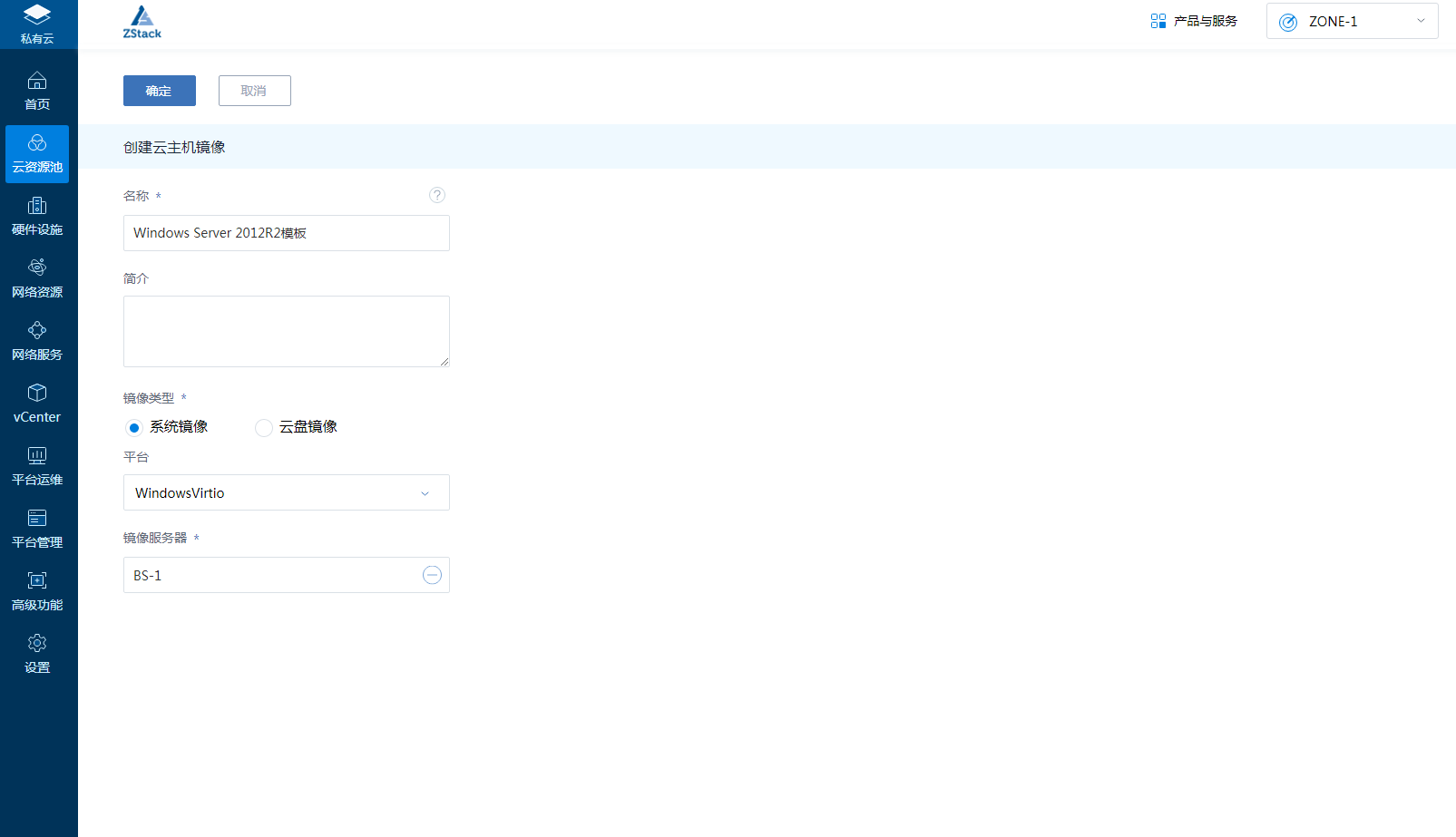
(Figure 8 finds a template cloud host to mirror the cloud host)
5. Create a cloud host using the newly encapsulated Windows Server2012R2 template for validation
Create Cloud Host Advanced Options - Check Generate Random Passwords
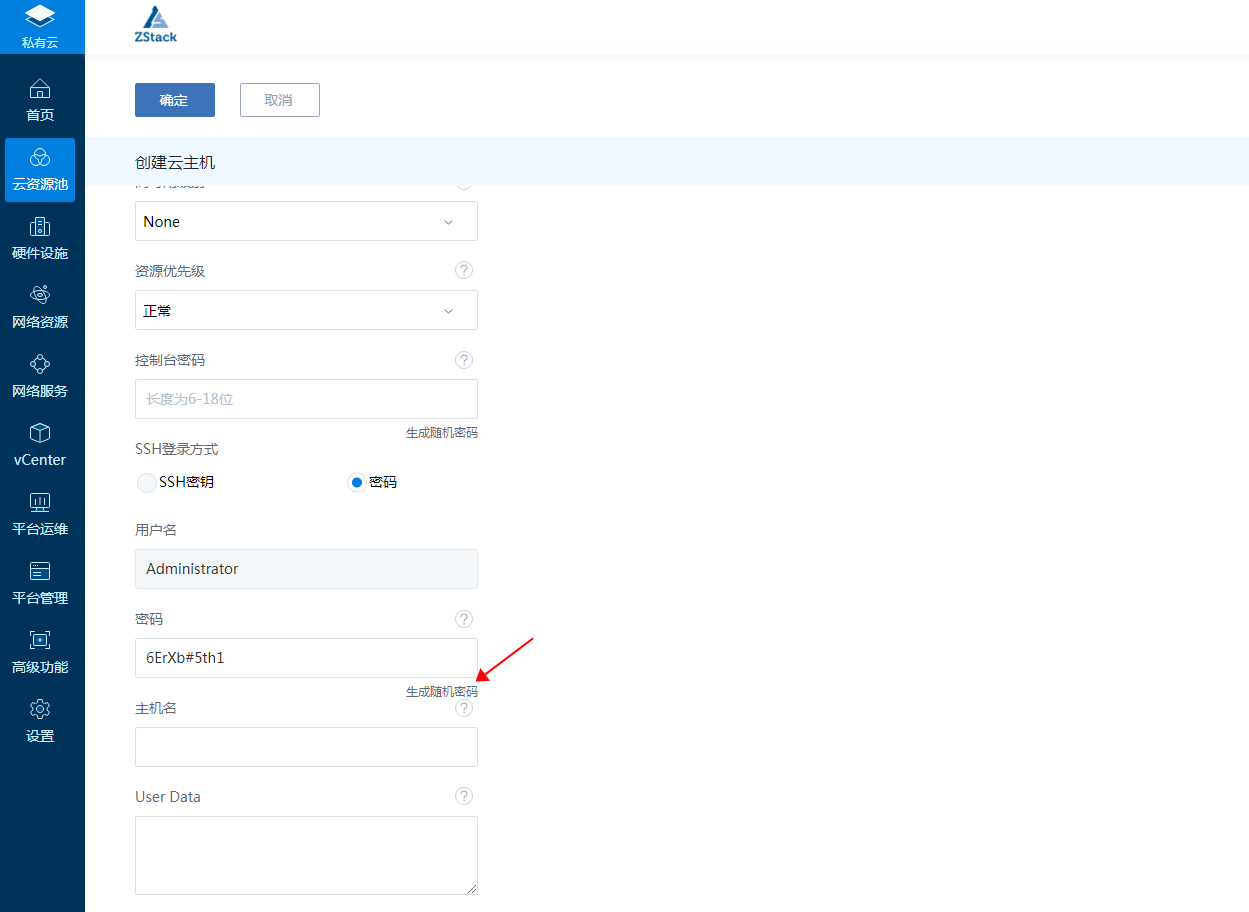
(Figure 9 creates a cloud host and generates a random administrator password)
6. Check that the cloud hosts created by the new template are logged on properly with randomly generated passwords and have normal accounts.
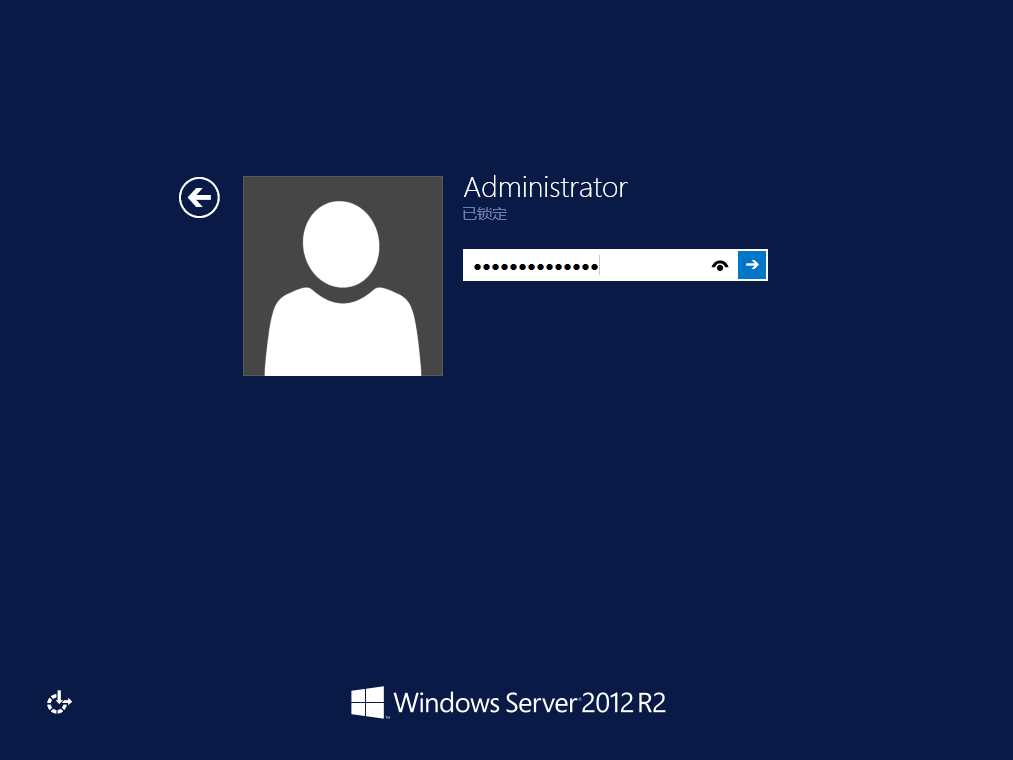
(Figure 10 verifies that the password can log on to the system)
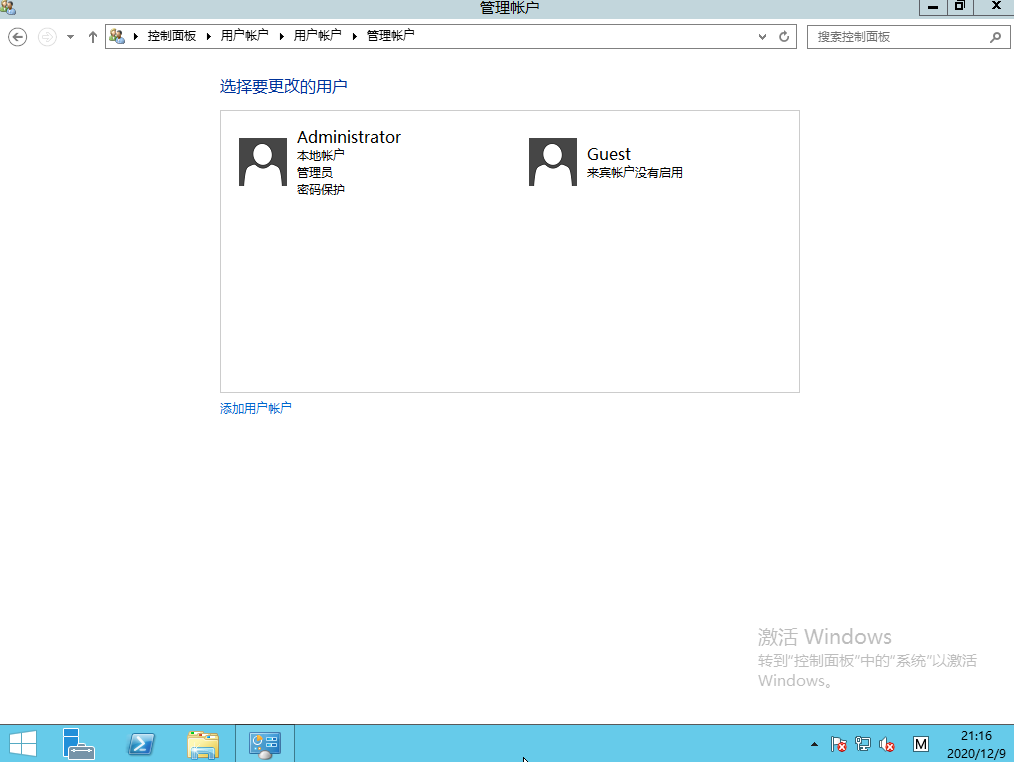
(Figure 11 shows the users in the system)
Comments
0 comments
Please sign in to leave a comment.