
Description
Cloud hosts in the ZStack cloud platform synchronize their hosts'time sources by default. Host time is uniformly directed to internal or public time sources, ultimately reaching the requirements for time synchronization between cloud hosts and physical machines throughout the cluster. If the user wants to manually configure the synchronization time source in the cloud host operating system, for example, if the cloud host operating system is of Linux type, and the user wants to manually set the time source in the Linux operating system (set the Ali time source as the network time source when the cloud host can access the public network in the environment), what exactly do they need to do?
Environment
Cloud Platform Environment: ZStack Enterprise 3.8.6
Master Storage Environment: Ceph Type Master Storage
Mirror server environment: Ceph type mirror server
Network Environment: Flat Network
Cloud host operating system: Centos7
Cause
When users use the cloud platform, they can set the time source inside the cloud host operating system when they have special needs for the time source of the cloud host, such as synchronizing the Ali cloud time source.
Resolution
Centos Series Operating System
1, install the time synchronization software chrony;
[ root@localhost ~]# Yum install chrony-y
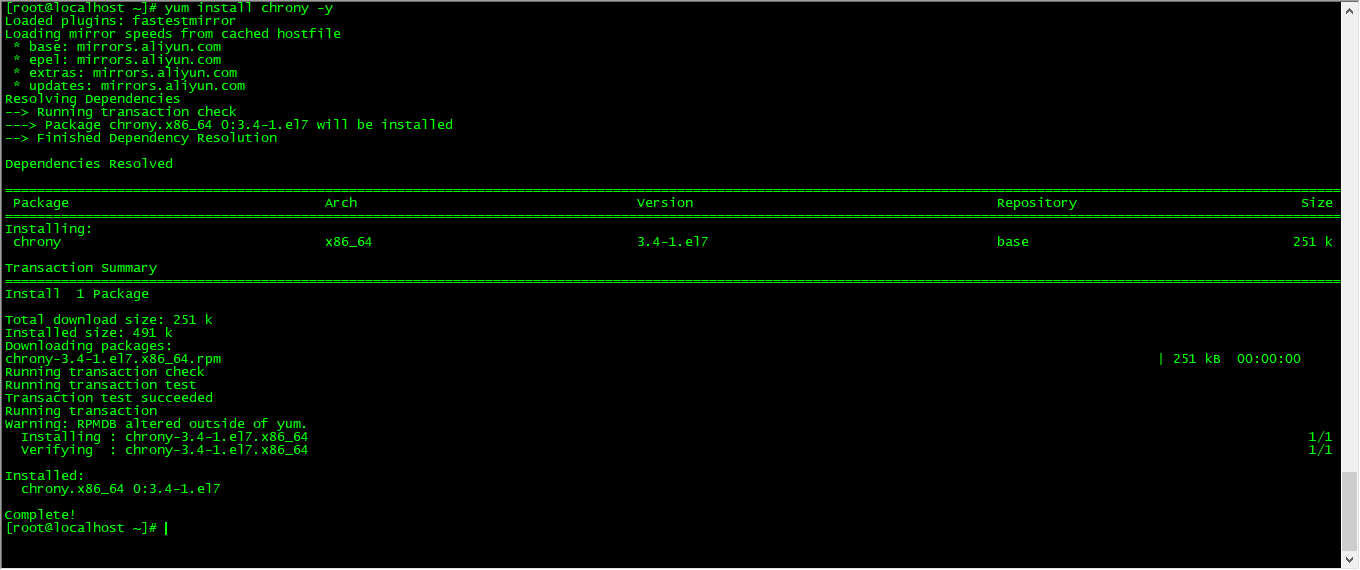
(Fig.1 Install time synchronization software chrony)
Note: Cloud hosts are required to be connected to the Internet and the correct Yum source is configured
2, turn on the Chrony service and set the startup to start;
[ root@localhost ~]# systemctl start chronyd
[ root@localhost ~]# systemctl enable chronyd

(Figure 2 opens the Chrony service and sets the startup to start)
3. View the state of time synchronization under the default configuration and now synchronize to the official CentOS time source;
[ root@localhost ~]# chronyc sources -v
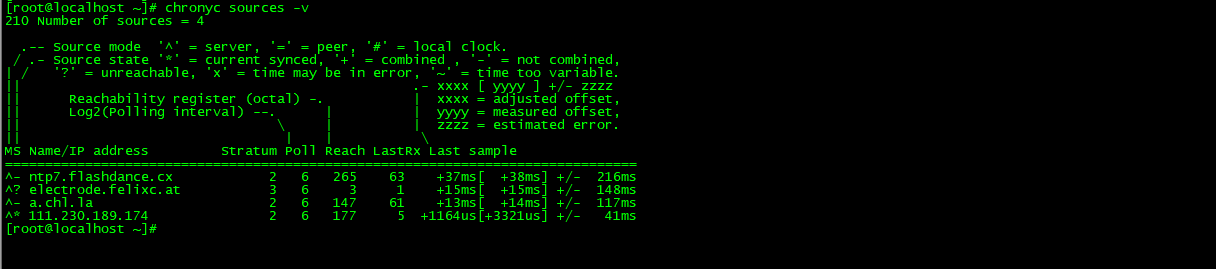
(Figure 3 shows time synchronization in the default configuration)
4. Comment on the default official CentOS time source;
[ root@localhost ~]# sed-i ' S/server/#&/' / Etc/chrony. Conf
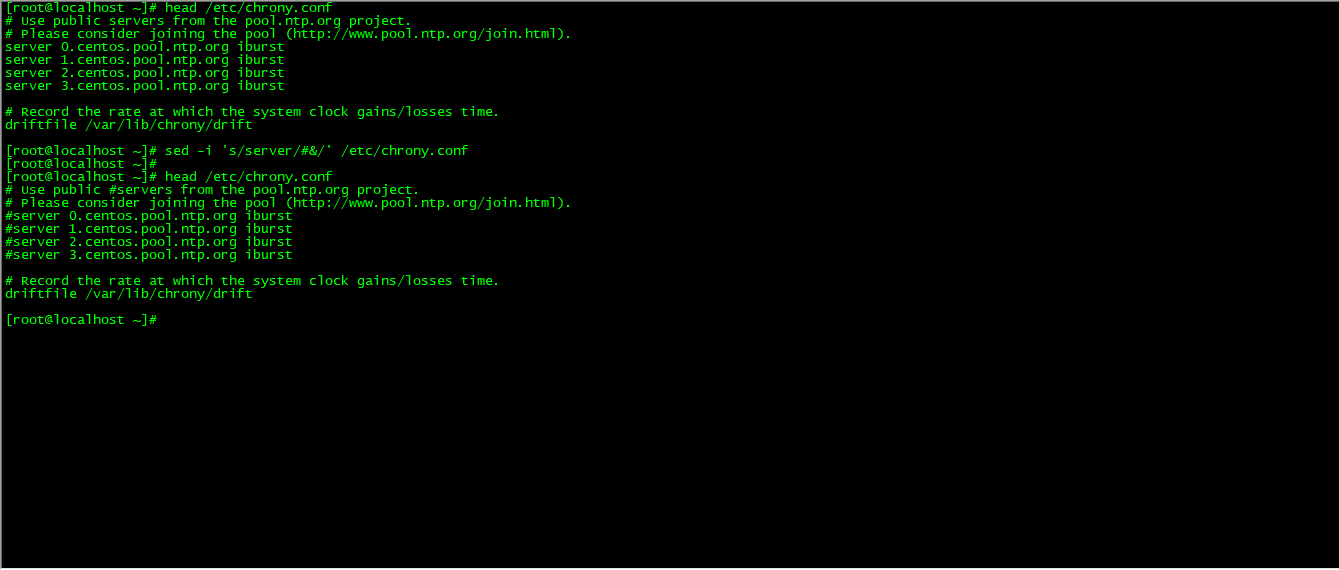
(Figure 4 annotates the default CentOS official time source)
5. Modify the time synchronization address to point to the Ali Cloud time source;
[ root@localhost ~]# echo " Server ntp. Aliyun. COM iburst">>/ Etc/chrony. Conf

(Fig. 5 Modifies the time synchronization address to point to the Ali Cloud time source)
6, restart the Chrony service;
[ root@localhost ~]# service chronyd restart

(Figure 6 Restarts the Chrony service)
Note: Each configuration modification requires a reboot to take effect;
7, check time synchronization again, already pointing to Ali cloud time source;

(Figure 7 shows time synchronization after pointing to the Ali Cloud time source)
Note: ^* means the time has been synchronized correctly;
Comments
0 comments
Please sign in to leave a comment.