
Description
Cloud host grub due to unexpected power outage of the physical machine. How do I repair a damaged cfg file that prevents the cloud host from starting?
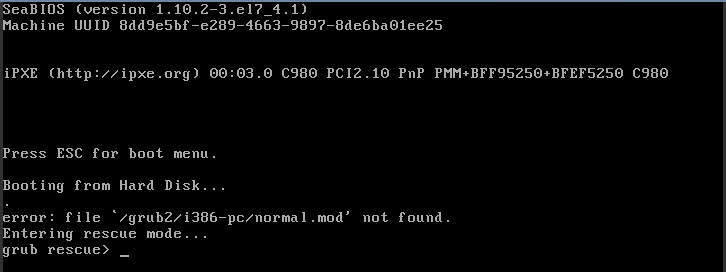
( Figure 1 .An error occurred while entering the cloud host )
Environment
Cloud Platform Environment: ZStack Enterprise Version 3.10
Network Environment: Flat Network
Primary Storage Environment: Local Storage
Mirror Server Environment: Mirror Warehouse
Physical Machine Operating System: ZStack Custom Centos7. 6
Cloud host operating system: Centos 7.6
Cause
From the system boot phenomenon, it appears that the system/boot/grub file is lost due to unexpected power outage, which will cause the cloud host unable to execute system commands and enter the system. It can be repaired by mounting ISO CD-ROM into rescue mode.
Resolution
Mount CentOS for cloud hosts; ISO system image of 7.6, after the cloud host starts, press up and down key, select rescue mode to start.
Once in rescue mode, execute the chroot command and switch to the root directory environment. The steps are as follows:
(1) Turn off the power of the cloud host and load CentOS7 on the cloud host CD-ROM drive. 6 ISO, if the CD-ROM has already loaded ISO, you need to create a new CD-ROM drive and load Centos7. ISO of 6.
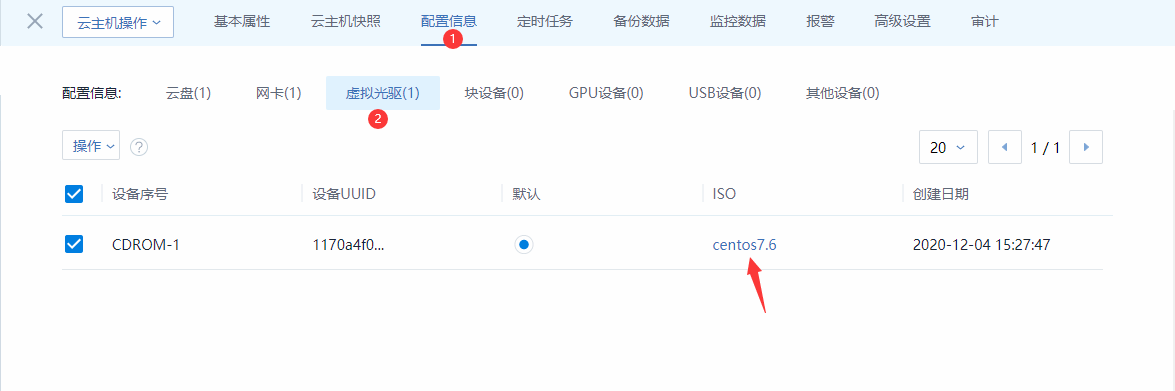
( Figure 2. Cloud host virtual CD-ROM mounts iso )
(2) Modify the cloud host boot entry, select the disc boot, and restart the virtual machine
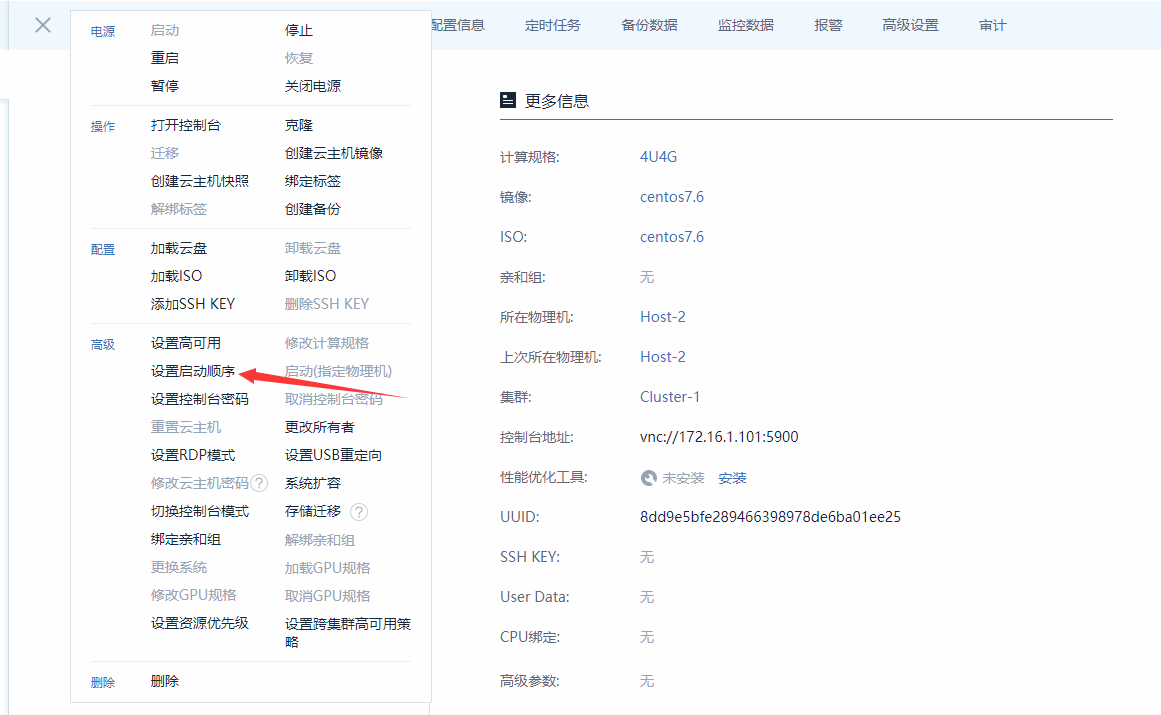
( Fig.3. Set the boot order to CD boot )
(3) Select Trubleshooting
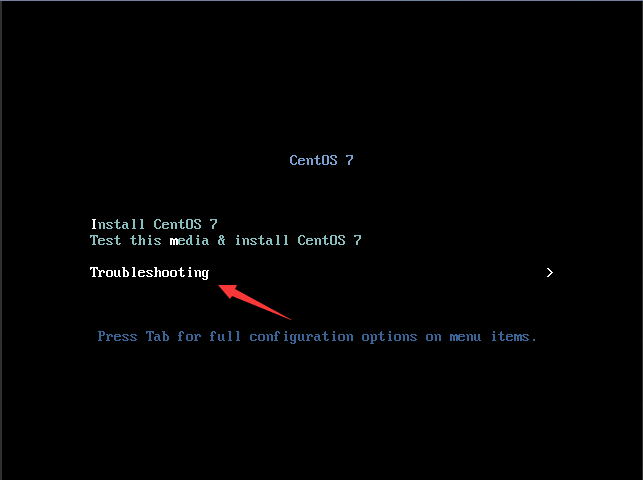
( Figure 4. Select Trubleshooting )
(4) Select Rescue CentOS System
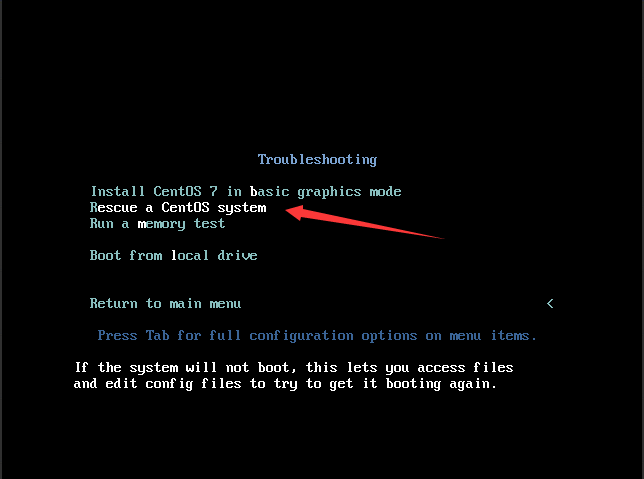
( Fig. 5. Select rescue mode )
(5) Input 1 to continue
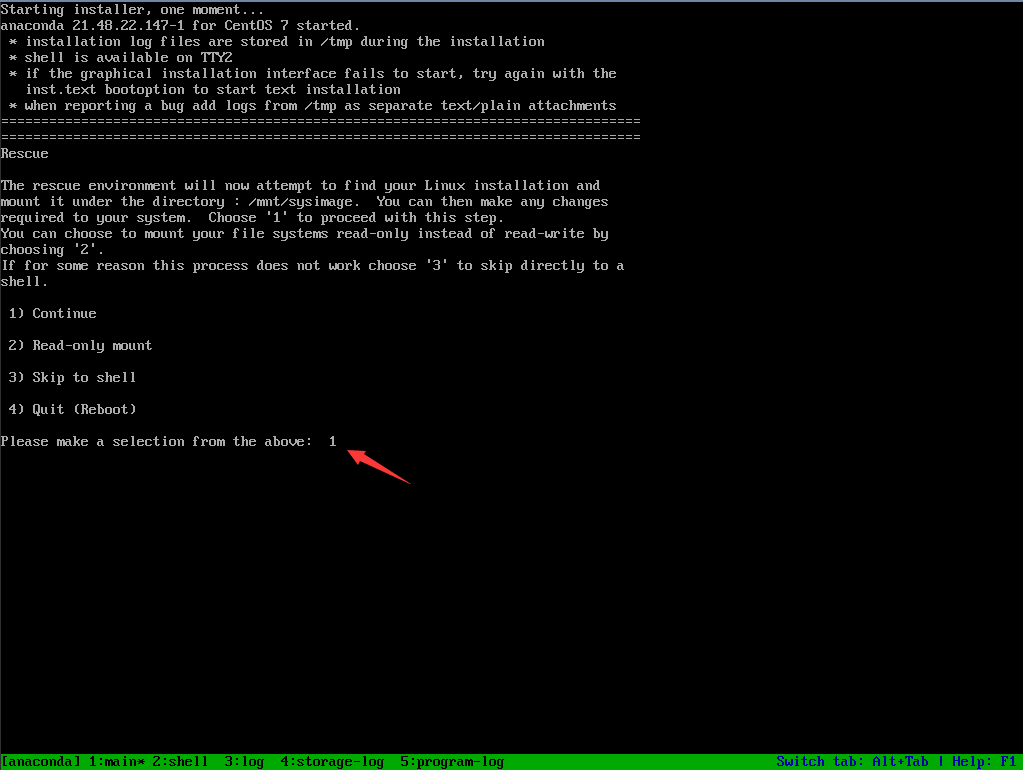
( Figure 6. Select Enter Mode )
(6) Switch Root Directory

( Figure 7. Switch Root Directory )
(7) Check the / boot / grub file and find the missing grub directory

( Figure 8. Check grub)
(8) View Disk Information
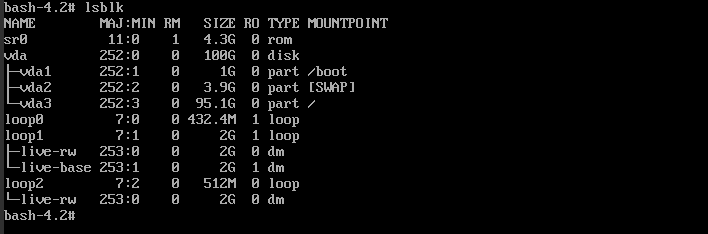
( Figure 9. View Disk )
(9) Reinstall Grub2

( Fig. 10. Install grub )
(10) Regenerate grub. CFG

( Fig.11. Generate a grub.cfg file)
(11) Restart, then you can enter the system normally
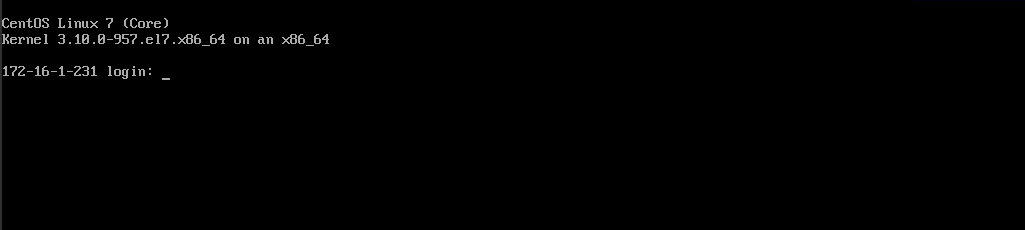
( Figure 12. Repair system successful)
Note: Everyone encounters different situations and can be corrected according to the errors that occur
Comments
0 comments
Please sign in to leave a comment.