
Description
The cloud host console opens on the ZStack cloud platform. The cloud host on Linux system enters the Root username and password and then flashes back to login. What should I do?
Environment
Cloud Platform Environment: ZStack Enterprise 3.10.1
Manage Node Environment: Dual Manage Nodes
Network Environment: Flat Network
Primary Storage Environment: Local Storage
Mirror Server Environment: Mirror Warehouse
Physical Machine Operating System: ZStack Custom Centos7. 6
Cloud host operating system: Centos7. 6
Cause
Linux Cloud Host Poisoning Causes/root/. The bashrc file was maliciously changed, deleting or commenting the correct content to exit
Resolution
1. Enter Single User Mode Check
Type E on the start page
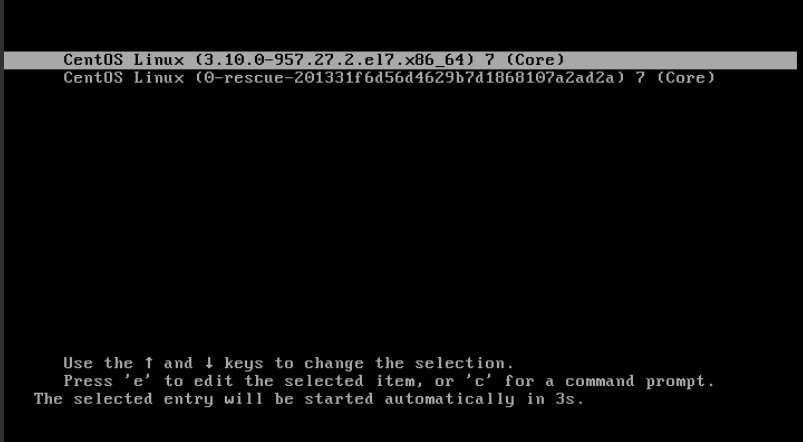
(Fig. 1 Startup page input e)
Modify linux16/vmlinuz-3.10.0-957.27.2... The RO in this message is RW and rd.break is added at the end;
Ctrl+x continue after input is complete
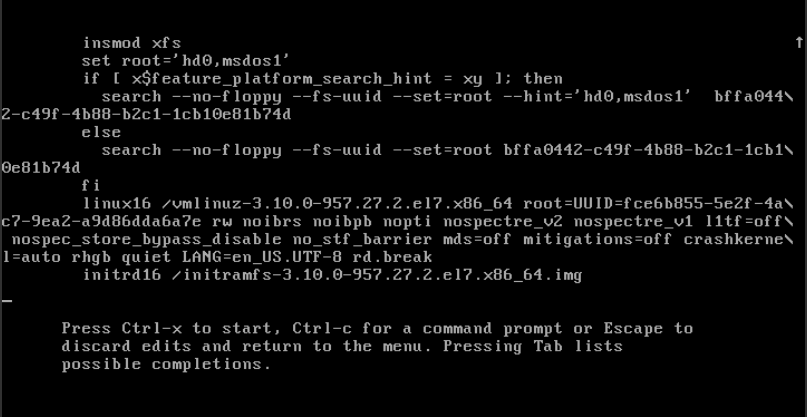
(Figure 2 Entering single user mode)
2. Investigation process
Execute chroot sysroot/
A. Check/etc/passwd content display is normal
Cat/etc/passwd
The main check is if the shell is normal when the root user logs on (example: root:x:0:0:root:/bin/bash or root:x:0:0:root:/bin/sh is normal) as follows
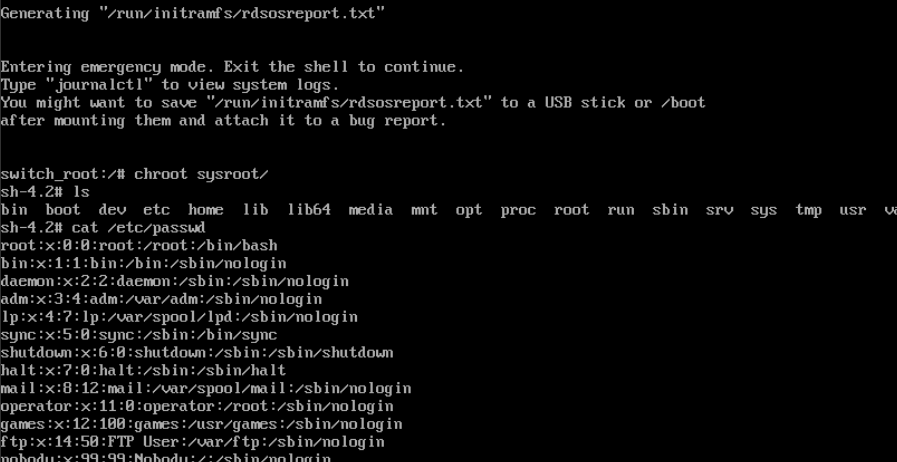
(Figure 3 checks the passwd configuration file)
B. Check/var/log/security logs
Vim/var/log/security analysis
Looking at the login information, we found that the root login was closed and we need to look under the root. Is the bashrc file correct
Pam_ UNIX (login:session): session opened for user root by (uid=0);
Pam_ UNIX (login:session): session closed for user root;
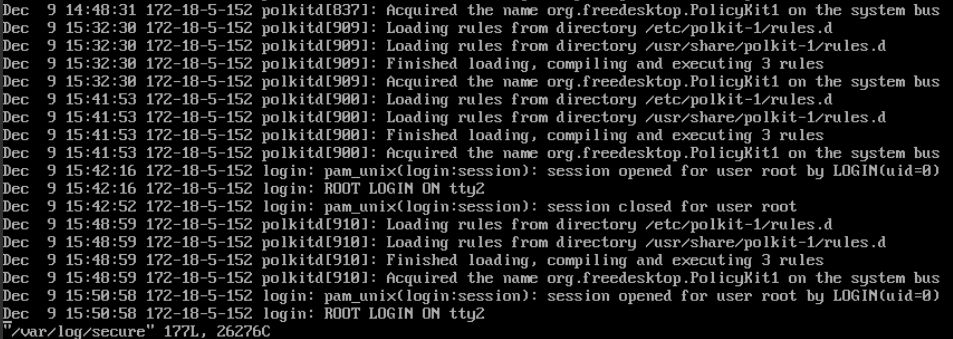
(Figure 4 analyzes the logs)
C. View/root/. Bashrc information
Cat/root/. Bashrc
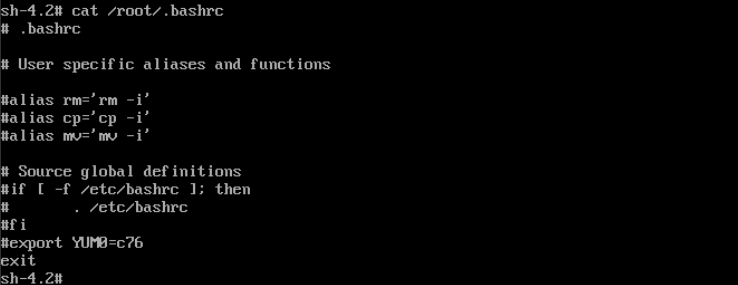
(Figure 5 checks the bashrc configuration file)
3. Search found/root/. The bashrc file was maliciously changed
Vim/root/. Bashrc
Direct edit changes back to normal, referring to the comparison of normal nodes
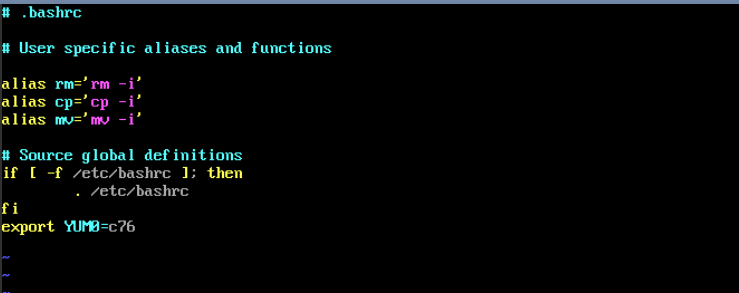
(Figure 6. Modifying the.Bashrc configuration file)
4. Exit Startup
Exit Single User
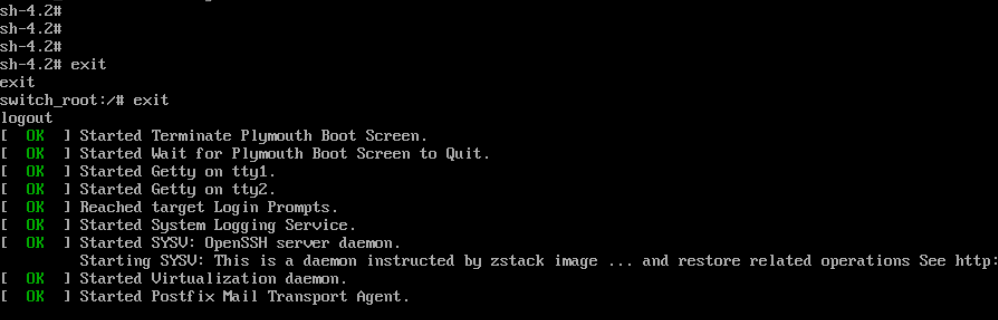
(Figure 7 Exits Single User)
5. Logon Success
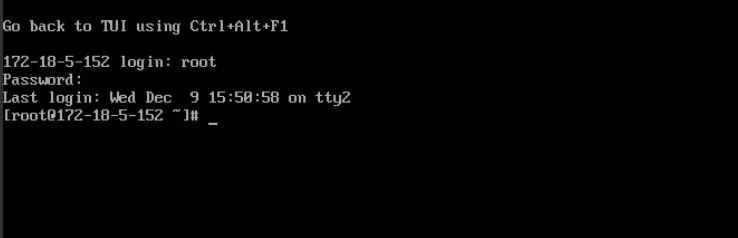
(Figure 8 logged in successfully)
Comments
0 comments
Please sign in to leave a comment.