
Description
Set up an alarm mechanism for cloud hosts, how can the cloud hosts send notifications to users through pin robots?
Environment
Cloud Platform Environment: ZStack Enterprise Version 4.2.0
Network Environment: Public Networks
Storage environment: Ceph storage
Mirror Server: Ceph type mirror server
Cloud host version: centos8. 0
Cause
The platform supports reminders using a web hook. Webhook is an API concept, one of the usage paradigms of micro-service APIs, and has also become a reverse API, where the front does not actively send requests and is pushed entirely by the back end. For example, a typical scenario for Webhook is when your friend sends a circle of friends and the back end pushes this message to all other friends'clients. Simply put, a Webhook is a URL that receives HTTP POST (or GET, PUT, DELETE). An API provider that implements a Webhook sends a message to this configured URL when an event occurs. Unlike request-response, you can accept changes in real time using a Webhook.
Resolution
1. Click Platform Operations > Cloud Platform Monitoring> Notification Object Create Message Template
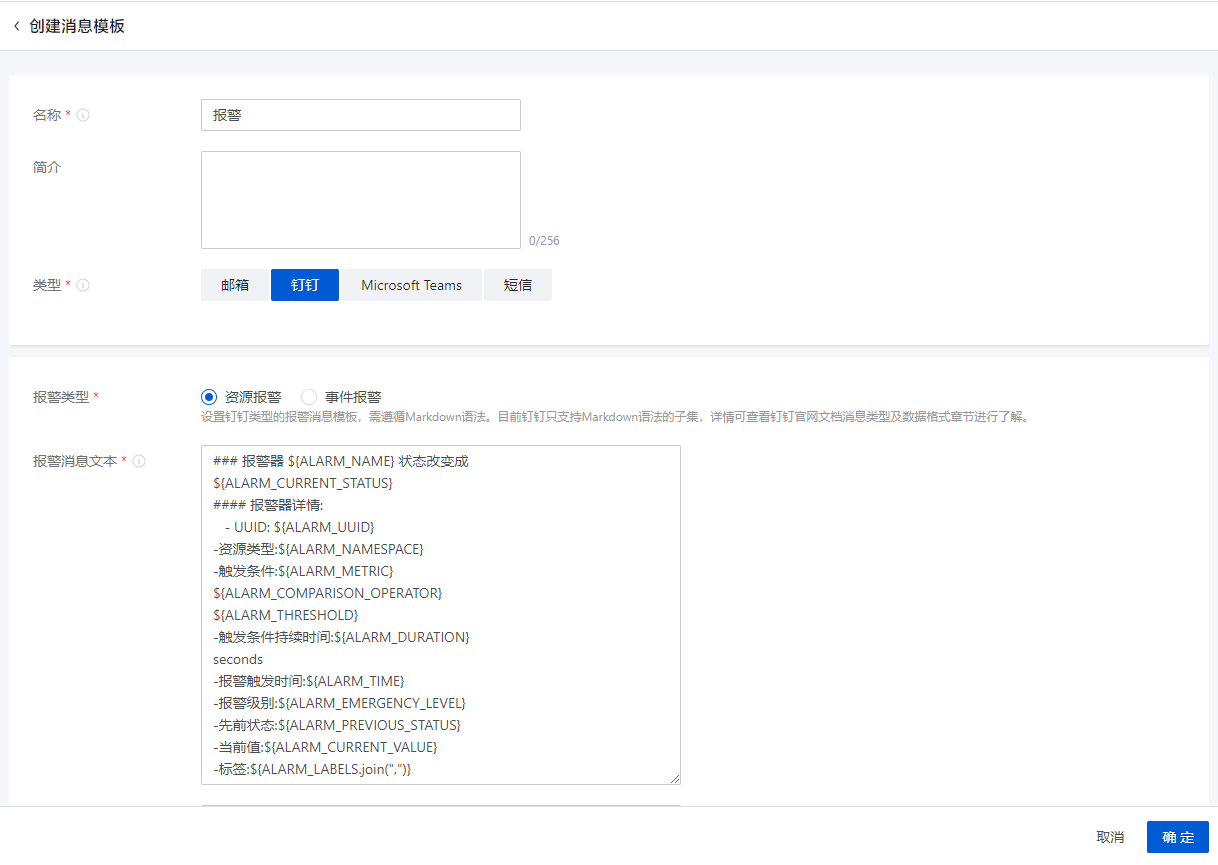
(Figure 1 creates the message template)
2. Add webhook robots and custom keywords by clicking on group settings of pins, totaling 3, respectively.urgent,serious,Tips, add the IP address of the cloud host you want to manage, and get the webhook address
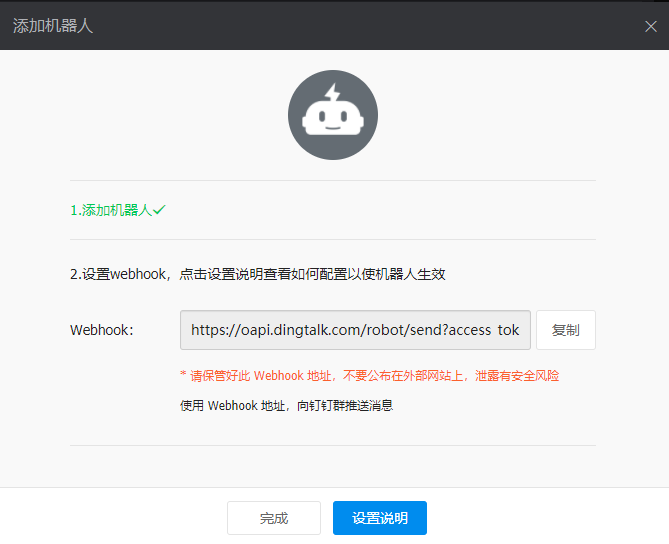
(Figure 2 shows the webhook robot address)
3. Click Platform Operations > Cloud Platform Monitoring> Notification object Click to create notification object and copy the webhook address to the address bar
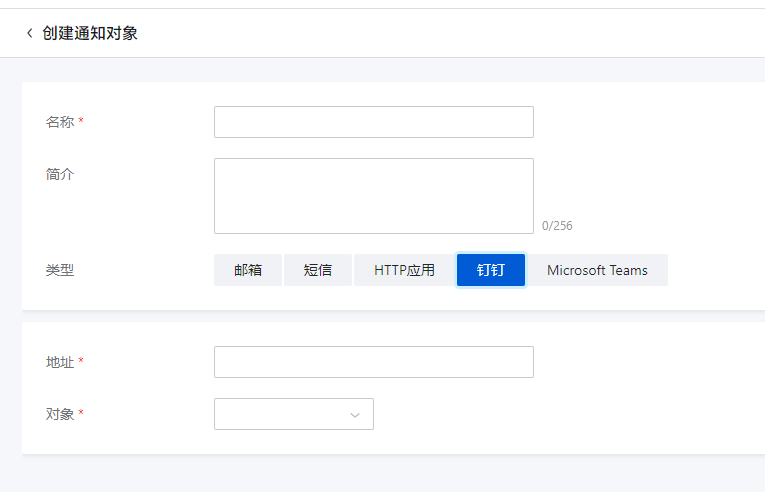
(Figure 3 creates a pin notification object interface)
4. Create a resource alarm and select the notification object as the pin prompt
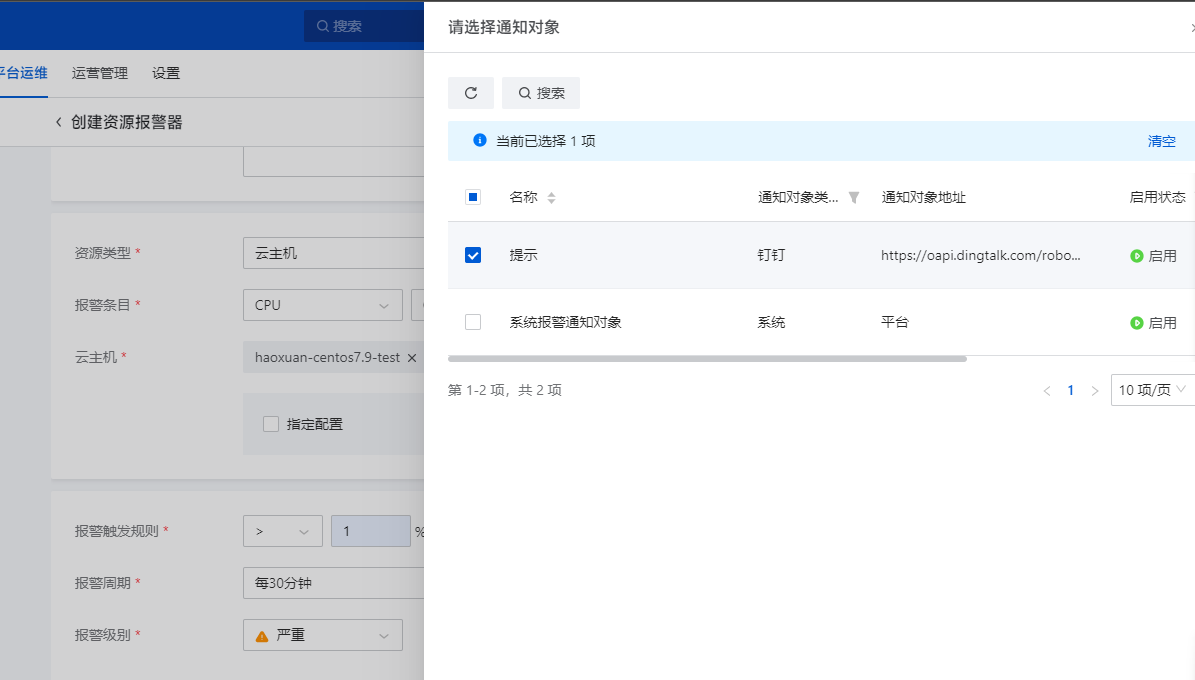
(Fig.4 Select nail alarm)
5. Testing whether the pin alarm notification is valid or not can be done according to what is set up in the alarm. Here is an example of CPU usage. If it is valid, it will prompt the cloud host input on Linux system.
Echo "Scale=30000; a(1)*4"| Bc - L
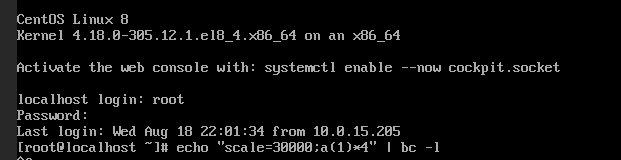
(Fig. 5 Enter the specified command to increase the load)
If successful, as shown in the following figure
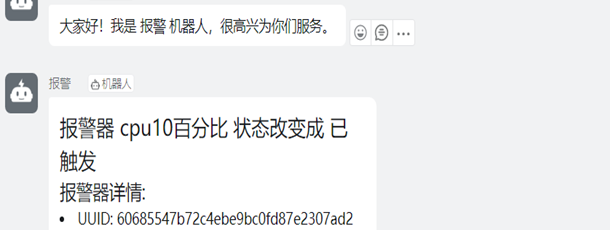
(Fig.6 Pin successfully receives alarm message)
Comments
0 comments
Please sign in to leave a comment.