
Description
Dual management nodes need to be upgraded from 3.10.8C74 to 3.10.13C74
Environment
Cloud Platform Environment: ZStack Enterprise Version 3.10.8
Main Storage Environment: SharedBlock
Mirror Server Environment: ImageStore
Physical Machine Operating System: ZStack Custom Centos7. 4
Cause
Dual management nodes need to be upgraded from 3.10.8C74 to 3.10.13C74
Resolution
IP Address Planning:
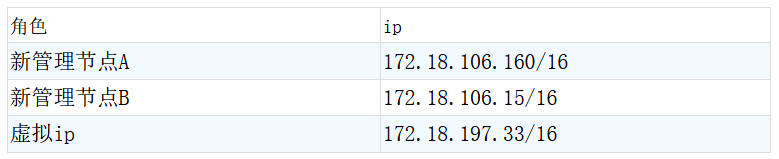
Detailed steps are as follows:
1. Turn off global high availability of cloud hosts in advance before upgrading the cloud platform to avoid accidental triggering of high availability of cloud hosts. ZStack main menu in the interface> Setup> Global Settings> The Cloud Host High Availability Global Switch is set to false off and can be turned on again after all upgrades have been completed.
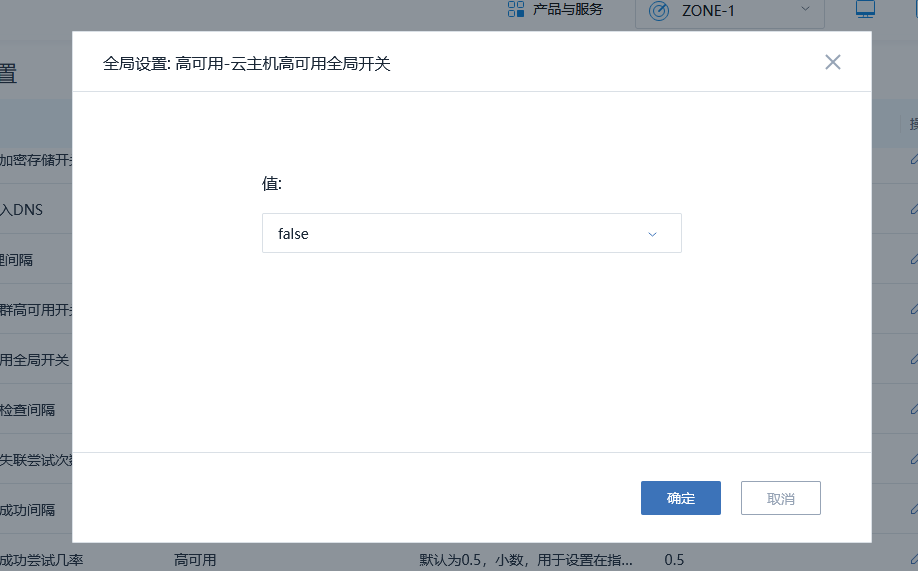
(Figure 1: Turn off cloud hosts for high availability)
2. Download the version ISO file, bin file, ZStack-upgrade and zsha2 file to be upgraded and upload to the two management nodes

(Figure 2: Files to download)
3. Verify the MD5 value of the file and download it again if the MD5 value is incorrect
Md5sum Files that need to be checked
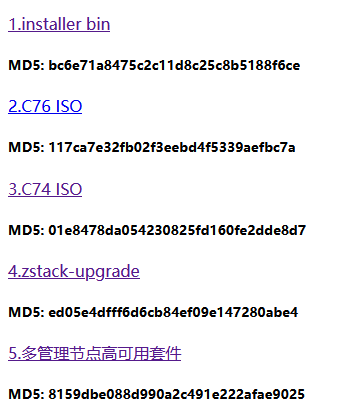
(Figure 3: MD5 value of the official website)
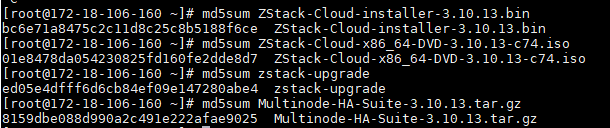
(Figure 4: MD5 value of downloaded software)
4. Back up the master database
#ZStack-ctl Dump_ Mysql -- File-name Zstack-db-backup-master

(Figure 5: Back up the master database)
5. Back up the backup database
#ZStack-ctl Dump_ Mysql -- File-name Zstack-db-backup-slave

(Figure 6: Back up the backup database)
6. Two management nodes update ISO source
Bash / Root/ZStack-upgrade - R New ISO file
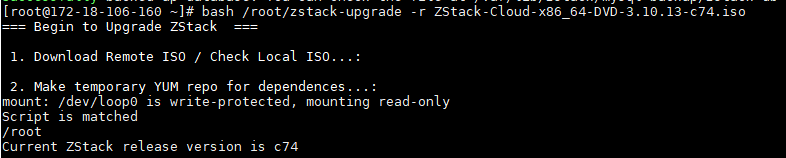
(Figure 7: Management node updates ISO source)
7. Unzip the zsha2 suite and grant executable permissions to the unzipped zsha2, ZStack-hamon
Tar  Zxvf  Compressed package
chmod  +x

(Figure 8: Unzipping the zsha2 suite and empowering)
8. See which management node VIP is using the command zsha2 status, as shown below Owns virtual address:yes, which is the management node where VIP is located
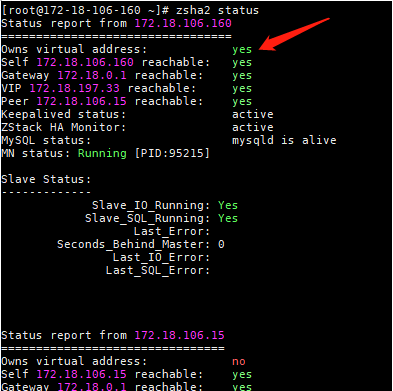
(Figure 9: How to see which management node the VIP is in)
9. Upgrade the dual management node highly available suite on the management node where the VIP is located by executing the following command
#. /zsha2 Upgrade-ha
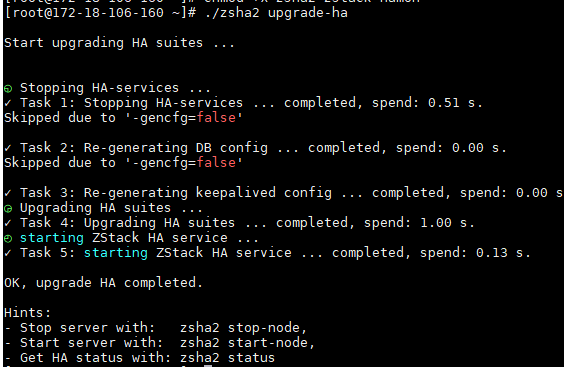
(Figure 10: Upgrading the dual management node highly available suite)
10.bin file upgrade (performed at the primary management node)
Zsha2 Upgrade-mn New bin file
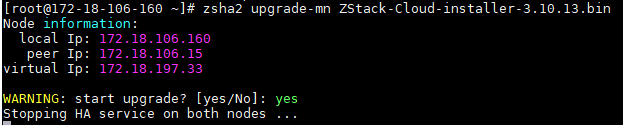
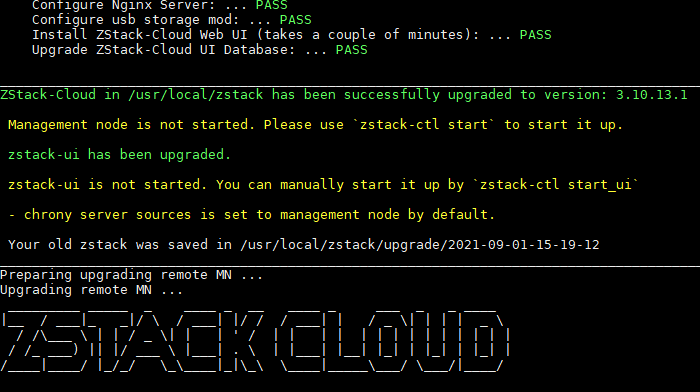
(Fig.11:bin file upgrade)
11. Upgrade Status Check
#zsha2 Status
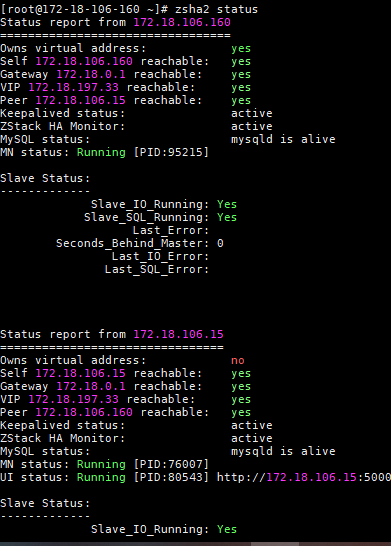
(Figure 12: State check)
12. Resource status checks and cloud platform health checks, physical opportunities are disconnected, just a few minutes will be enough.

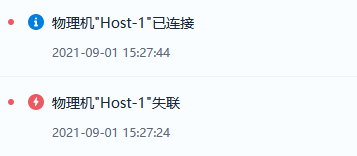
(Figure 13: Resource Status Check and Cloud Platform Health Check)
13. Turn on Cloud Platform High Availability Global Settings
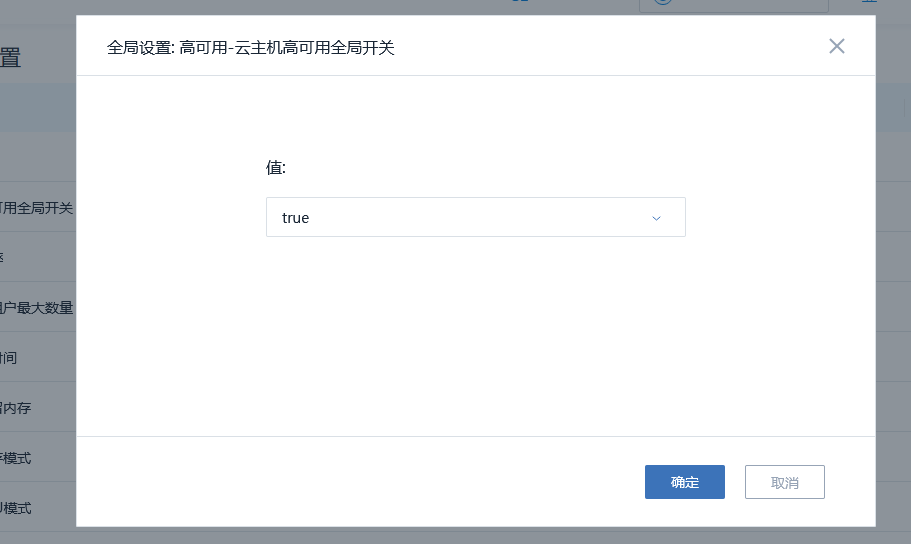
(Figure 14: Turn on Cloud Platform High Availability)
14. Check if the version upgrade was successful
Cloud Platform Version: ZStack-ctl  Status
Physical machine system version : cat /etc/redhat-release
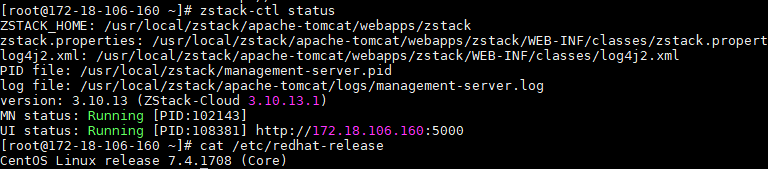
(Figure 15: View cloud platform version and physical machine system version)
Comments
0 comments
Please sign in to leave a comment.