
Description
Sometimes, due to the system network and storage response, the snapshot is deleted in the cloud platform interface, but in fact, the storage side did not delete the snapshot file generated in the running process of the platform successfully. The snapshot file can not be seen in the front of the cloud platform, but the snapshot always takes up the storage space, does not release, causing a waste of space.
Environment
Cloud Platform: ZStack Enterprise Version 3.8.3
Storage environment: SharedBlock primary storage
Network: Flat Network
Cloud host operating system: Centos7. 6
Cause
In the ZStack UI Storage Management Interface, you can see what the following might look like:
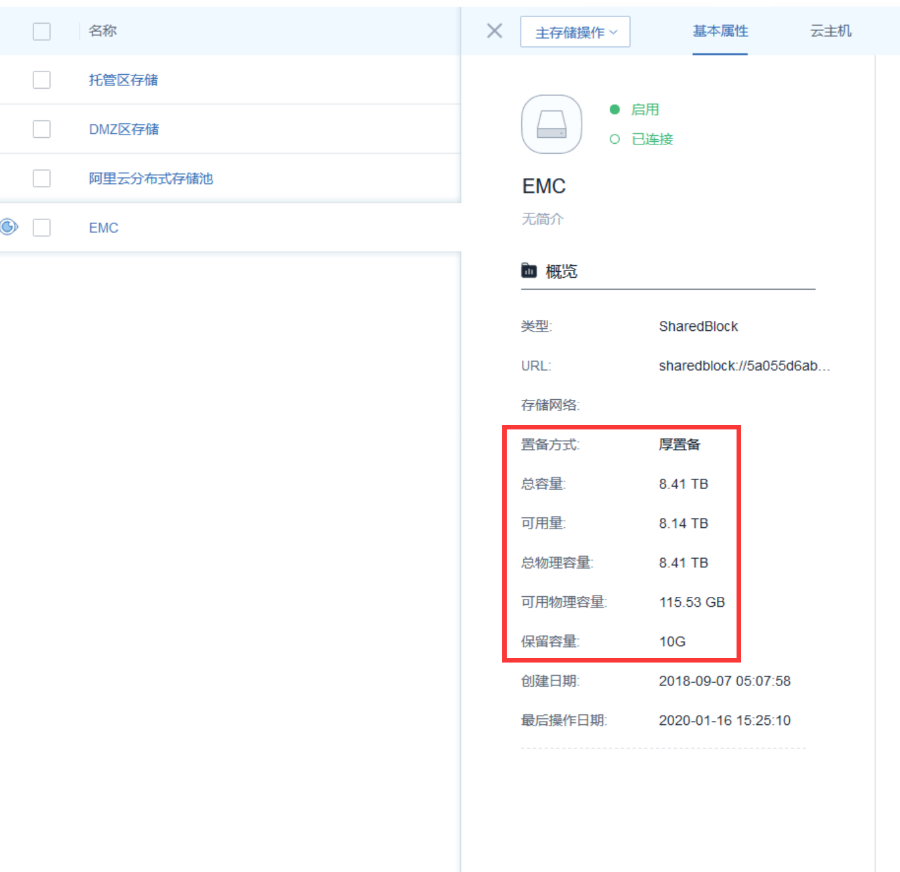
Figure 1 storage capacity
Display available/total capacity 8.14TB/8.41TB in UI interface (this data is the result of calculating by superfraction). Available total physical capacity is 115.53GB/8.41TB. You can see that available physical capacity is insufficient. You can see that only one cloud host (system disk 300G, data disk 800G) is running on this storage in the foreground page, so the calculation of its capacity is not accurate. Storage space is occupied by LV volumes from unused snapshots.
Log in to the compute node where the store resides to view the volume information as shown in the following figure:
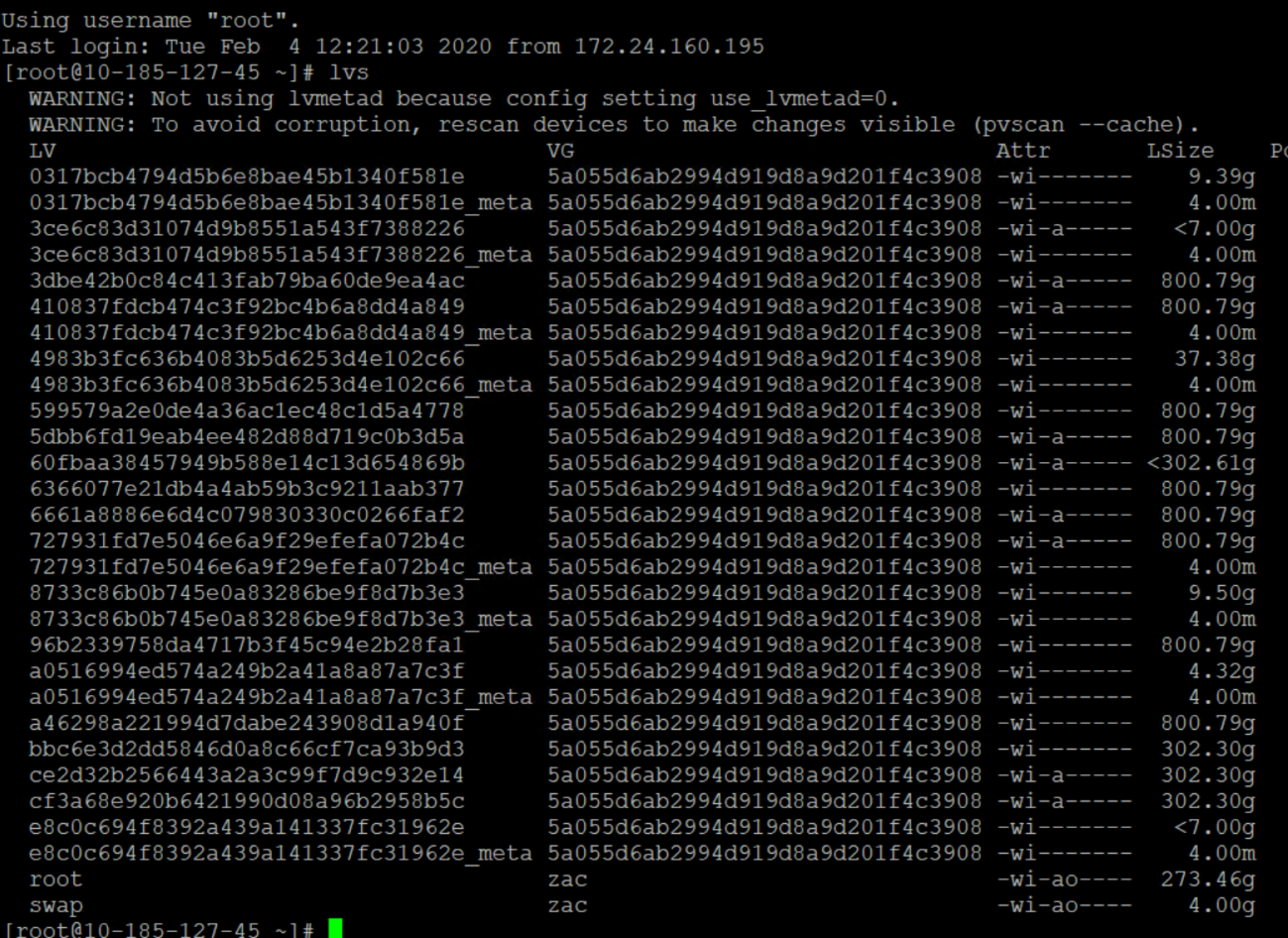
Figure 2 Compute Node Volume Information
From the above information analysis, you can see that there are more than 800G and 302G volumes, but only one cloud host is in use during the actual use process, that is, only one 800G and 302 G volume is used by the cloud host in the system, just find the unused volumes in the volume list and delete them.
Note: Since volume deletion is a high-risk operation, caution is required during operation
Resolution
Find the cause of the problem and compare the volume used in the system with the volume used in the storage. If the volume in the storage does not exist in the system, we first mark the volume as the volume that needs to be deleted, and finally clean up the volume according to the deletion mark marked; The procedure is as follows:
1. Turn on the cloud host
Open all cloud hosts on storage to avoid accidental deletion
2. Check the resources on the store and execute on any computing node on the store
Lvs - Nolocking - O+tags
The results are as follows:

Figure 3 Cloud Host Storage Resources
Listed in Tgas above:
Zs:: sharedblock:: image For image cache,;
Zs::sharedblock::volume is a cloud disk snapshot (this is the focus of space consumption)
3. Export managed cloud disks and snapshots
The login management node cli uses the following commands to export managed cloud disks and snapshots:
Zstack-cli QueryVolumeSnapshot Fields=primaryStorageInstallPath | Grep Sharedblock | Awk ' {print $2} ' | Tr - D '"' | Sed ' S/sharedblock:\/\/dev/g '; Zstack-cli QueryVolume Fields=installPath | Grep Sharedblock | Awk ' {print $2} ' | Tr - D '"' | Sed ' S/sharedblock:\/\/dev/g 'If the output is blank or ZStack-cli is not logged in, you can open ZStack-cli first and log in cli first using the following command
LogInByAccount AccountName=admin Password=xxxx
Exit and execute the above script to get a similar result as in the following figure:
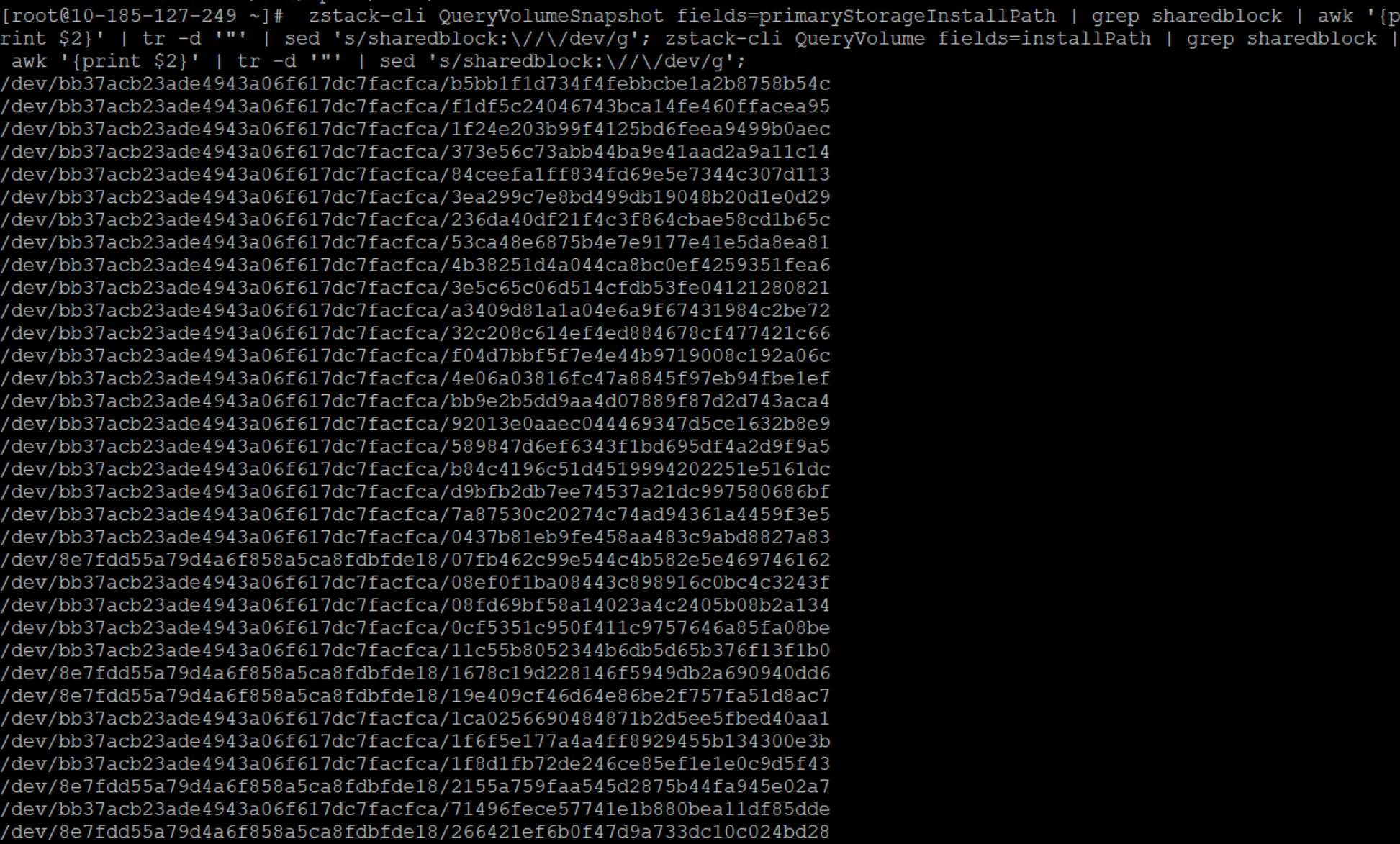
Figure 4 View managed cloud disks and snapshots
4. Result saving
Save the above results as mn-vol.txt to the calculation node, or add > at the end of the Step 3 Command above; After exporting mn-vol.txt, SCP goes to the compute node.
5. Compare the results and rename the volume
Check on the calculation node; Mn-vol.txt content is compared with LVS results; Rename a volume that does not exist in mn-vol.txt.
Execute the following commands on the compute node:
For V In ` Lvs -- Nolocking - Opath, tags | Grep ' Zs:: sharedblock:: volume ' | Awk ' {print $1} '`;; Nbsp; Do Exists=`grep $ V Mn-vol.txt`; If [[ $exists == "" ]; Then Vg=`echo $ V | Awk - F '/' ' {print $3} '`;; Nbsp; Lvrename $ Vg $ V "$ V"_ Del; Fi; DoneThis gives the volume to be deleted the name original volume_ In del form, the result is as follows:
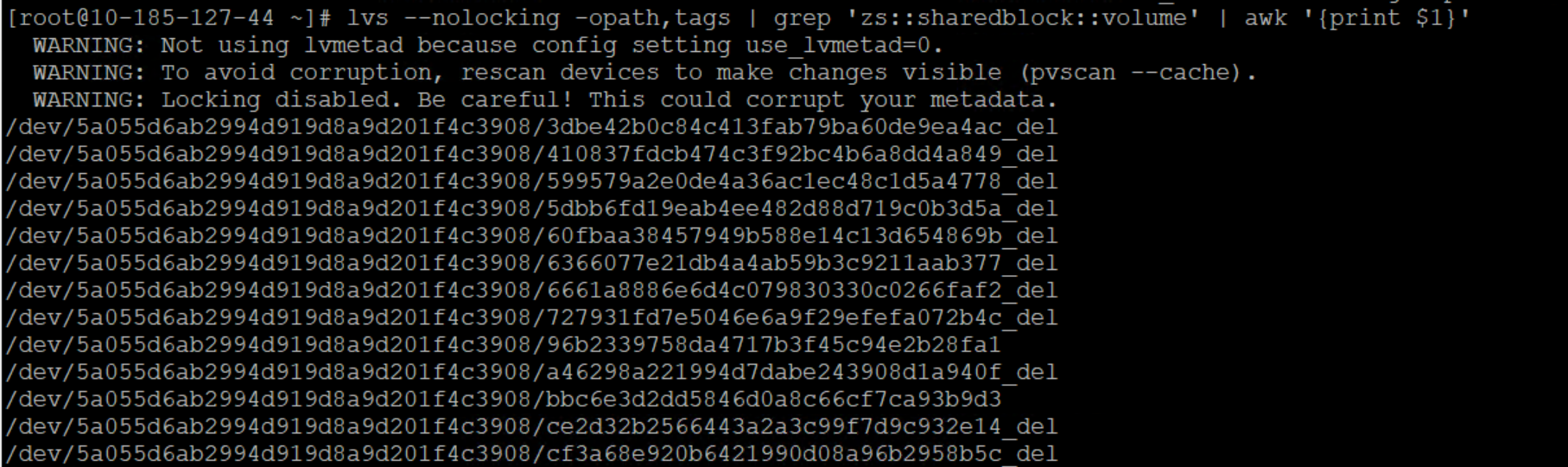
Figure 5 Rename Logical Volume
6. Delete Marked Volume
Check to see if the business is working properly, if everything works as follows:
Lvs -- Nolocking - Opath, tags | Grep ' Zs:: sharedblock:: volume ' | Grep _ Del | Awk ' {print $1} ' | Xargs Lvremove - YGet the desired results:
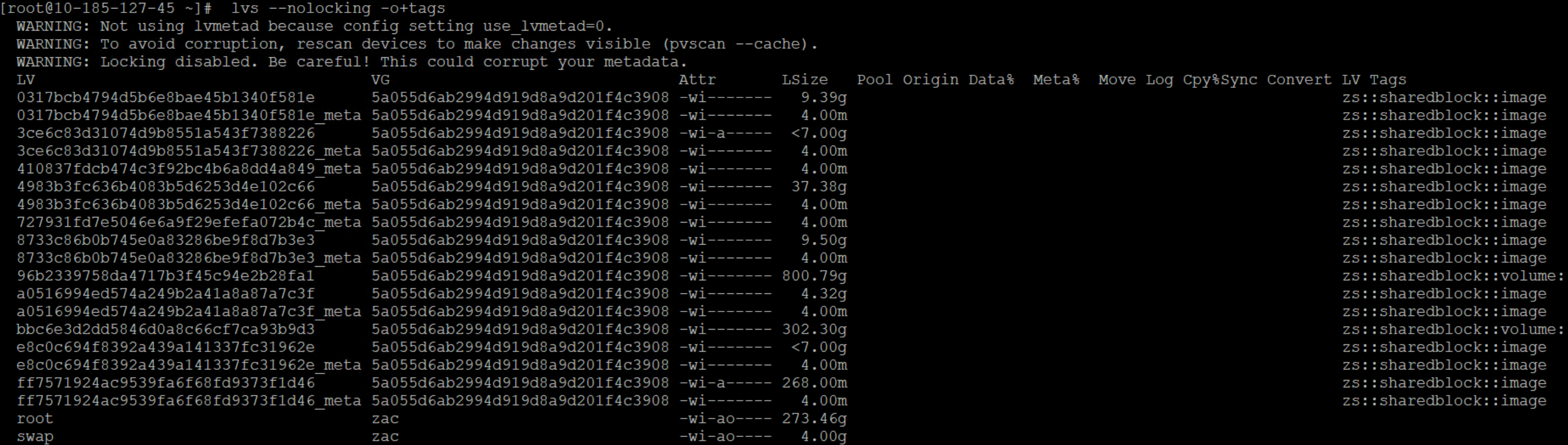
Figure 6 Is Business OK
Note: When we rename and delete volumes, sometimes the following error message appears

Figure 7 Delete or rename volume error information
At this point, the lvchange-an [volume diameter] needs to be executed on all computing nodes to change the lock state before renaming and deleting Zheng operations can be performed.
Comments
0 comments
Please sign in to leave a comment.