
Description
On the ZStack cloud platform, what should I do if IO Hung resides on cloud disks that are not falloc with a pre-allocation policy of mounting cloud hosts created with local storage?
Environment
Cloud Platform Environment: ZStack Enterprise 3.6.0
Network environment: flat network/VPC network
Storage environment: local storage
Mirror Server Environment: Mirror Warehouse
Physical Machine Operating System: ZStack Customized CentOS 7.6 System
Cloud Host System: Centos7
Cause
The default disk allocation policy for local storage is none. When cloud hosts/cloud disks are requested on a cloud platform, the volume of the cloud hosts'system disks and data disks is in qcow2 format (streamlined reserve). This may result in IO hung due to the high fragmentation of the XFS file system.
Resolution
The solution is to migrate the cloud host root disk content to falloc's data disk.
1. Modify the pre-allocation of cloud disks to falloc on the ZStack cloud platform. Select Settings-> Advanced settings, click action, set value to falloc.
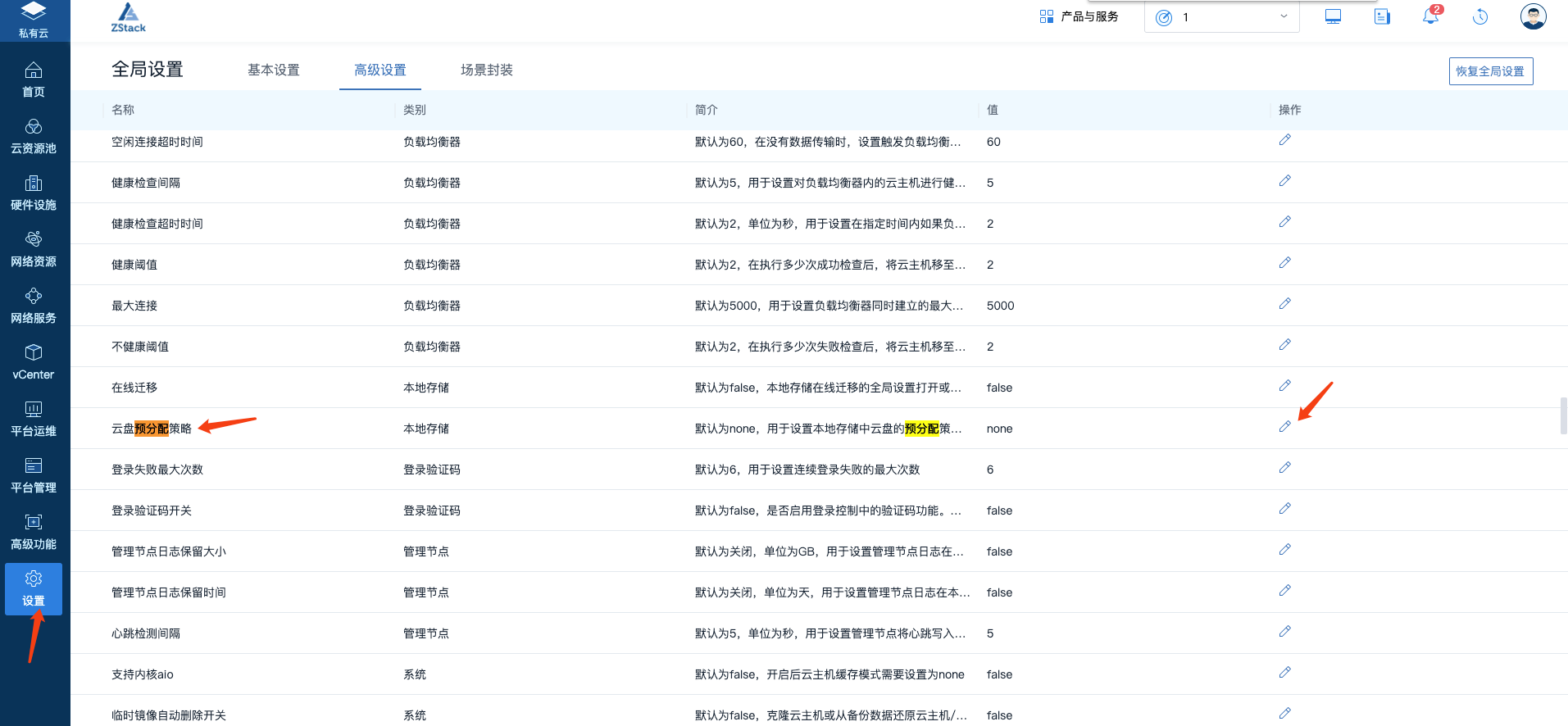
(Figure 1 sets the cloud disk pre-allocation policy)
Modify the disk preallocation policy to falloc under global settings.
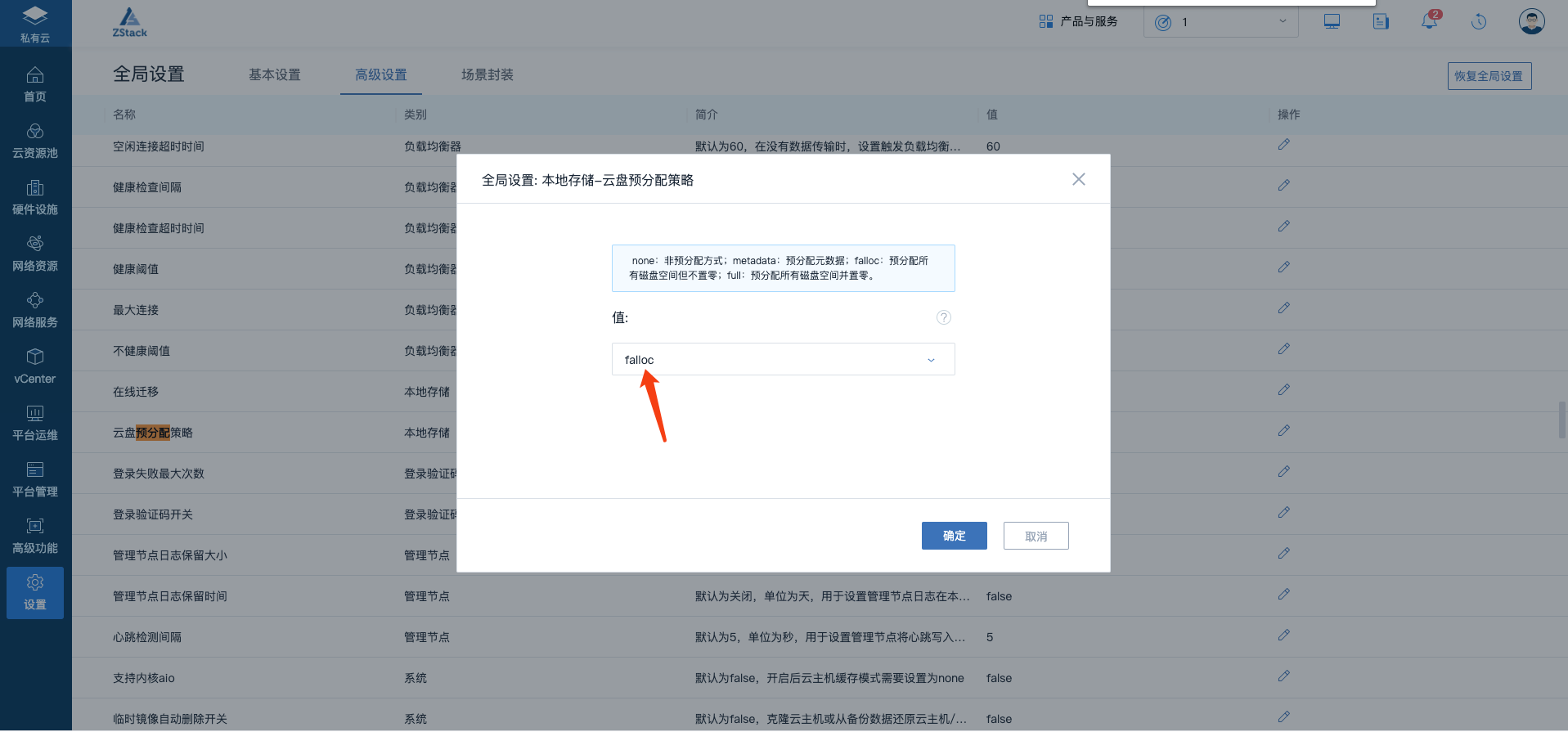
(Figure 2 sets the cloud disk pre-allocation policy)
2. Create a new cloud disk.
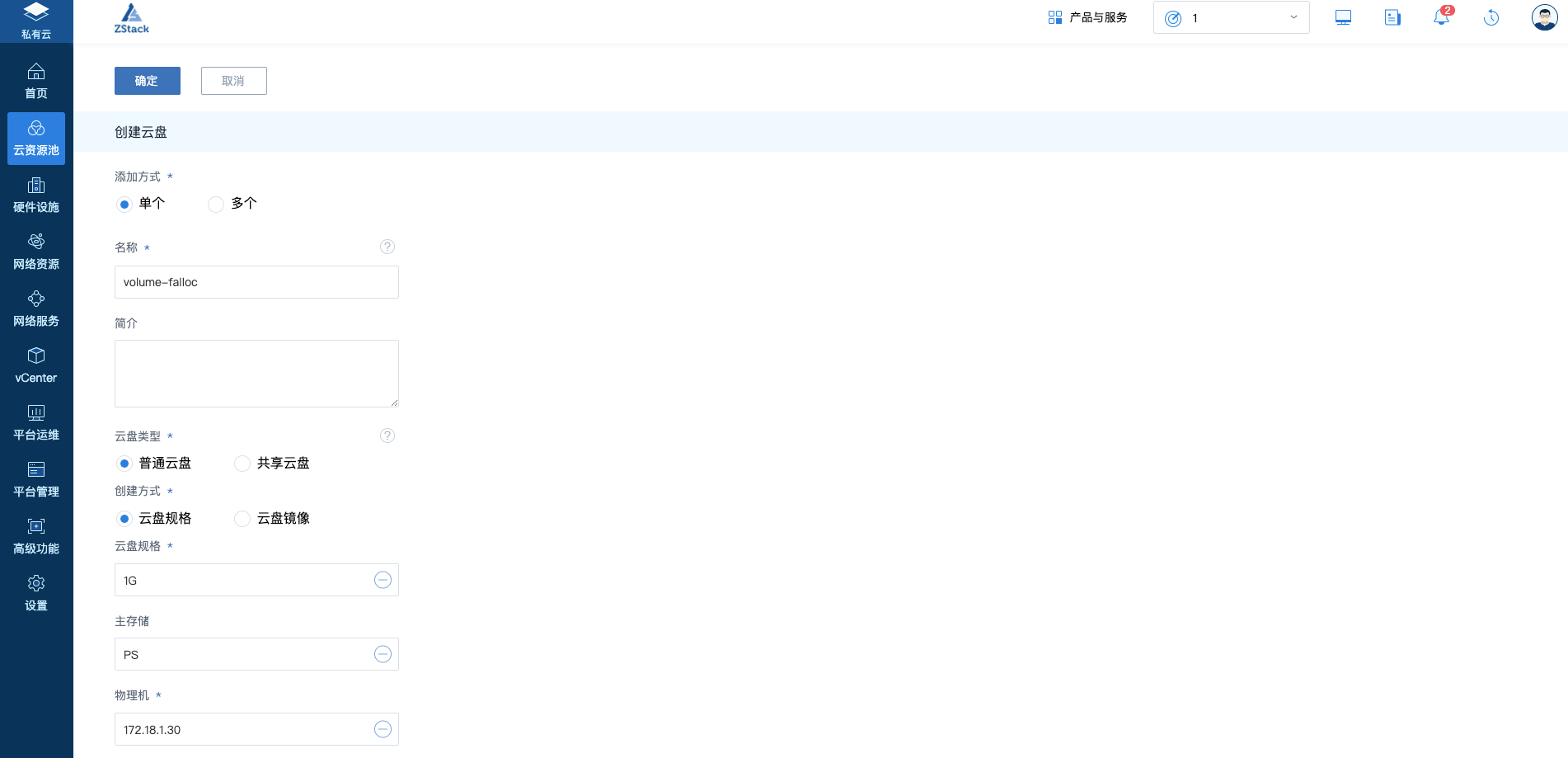
(Figure 3 creates a new cloud disk)
3. Mount the new cloud disk onto the cloud host. Click Cloud Disk Operation - > Load-> Select Cloud Host
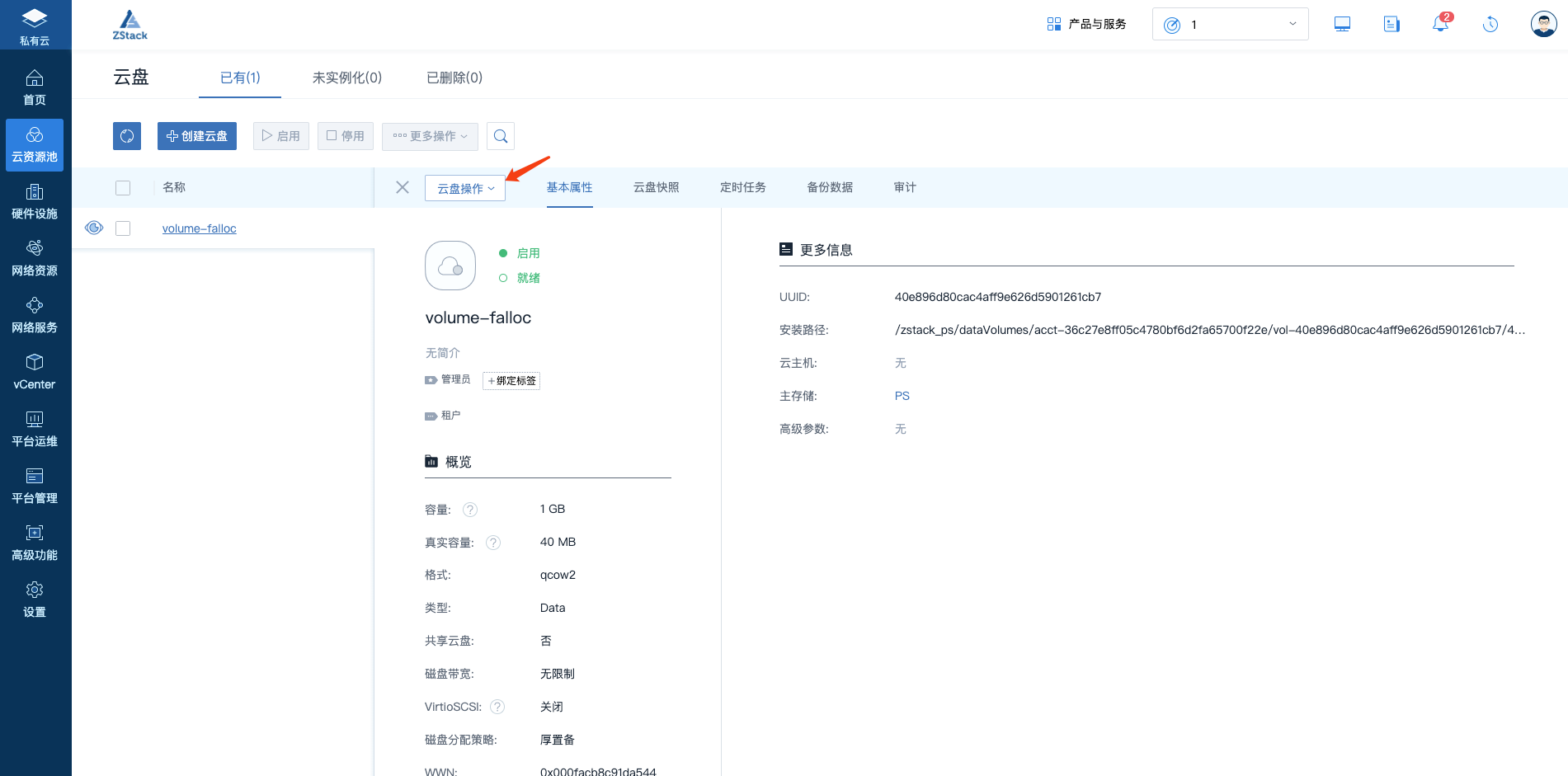
(Figure 4 Click Cloud Disk)
Click to load
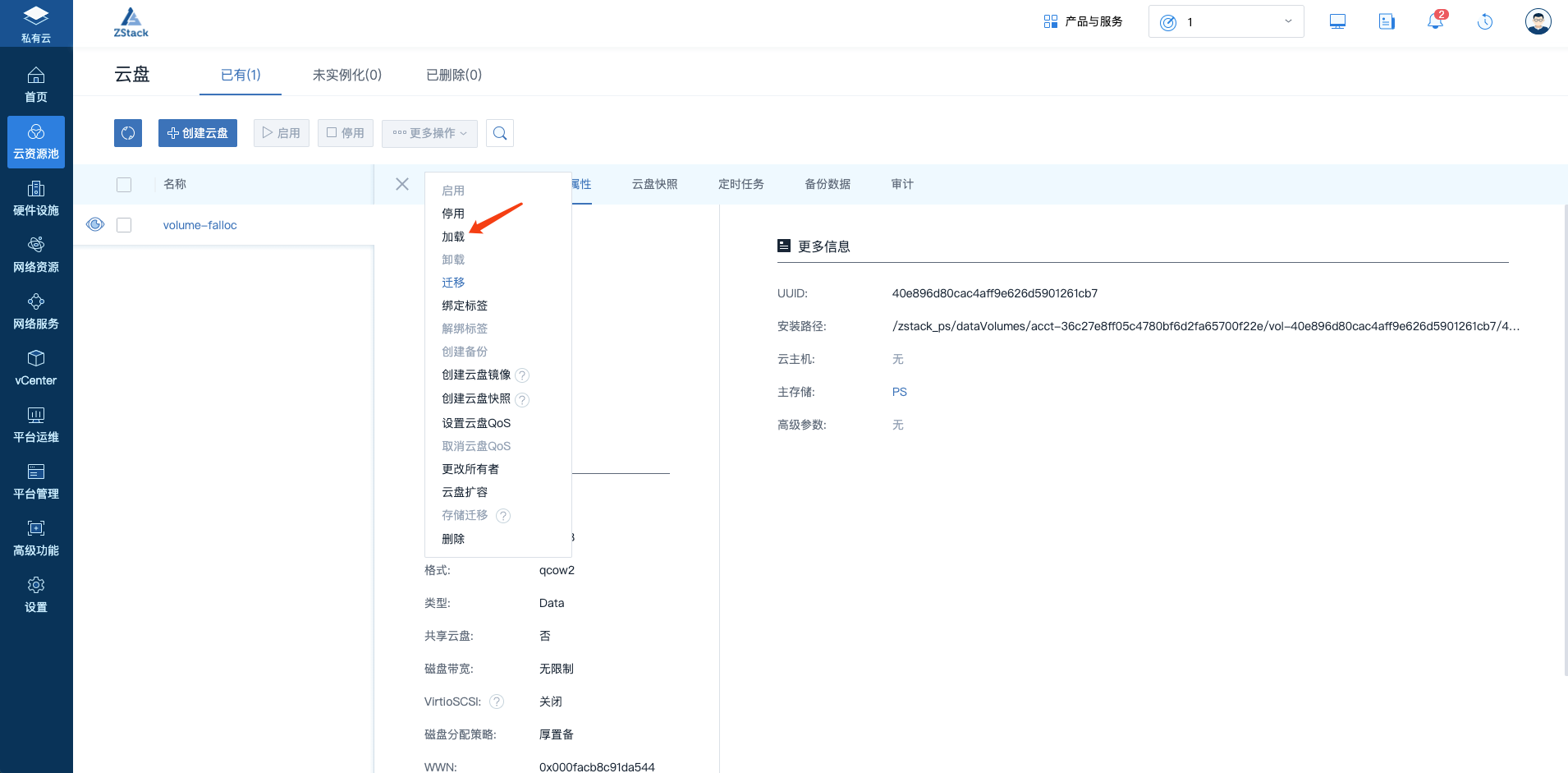
(Fig. 5 Click Load)
Specify the cloud host to load
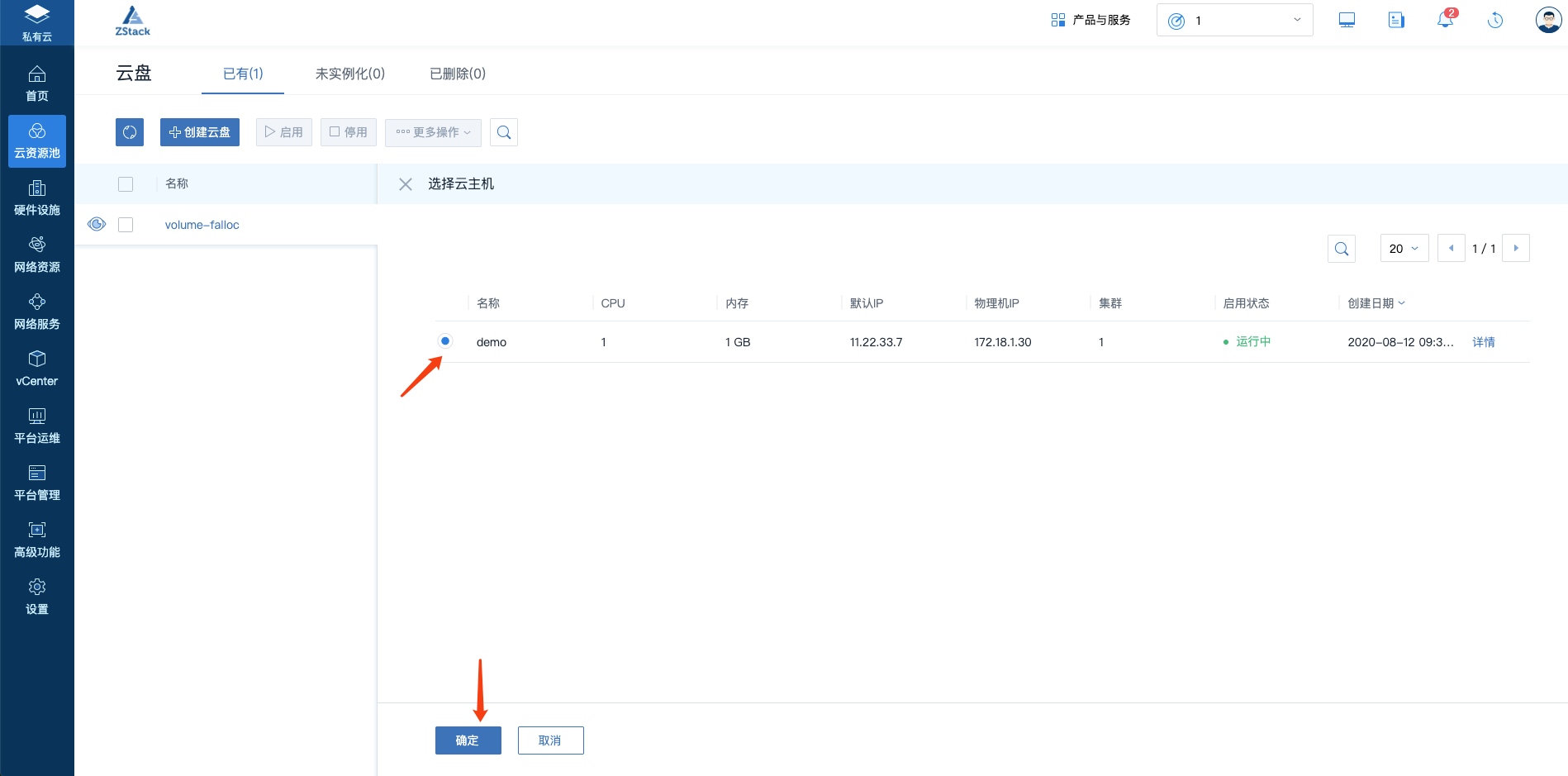
(Figure 6 specifies the cloud host)
4. Use the console to log on to the cloud host.
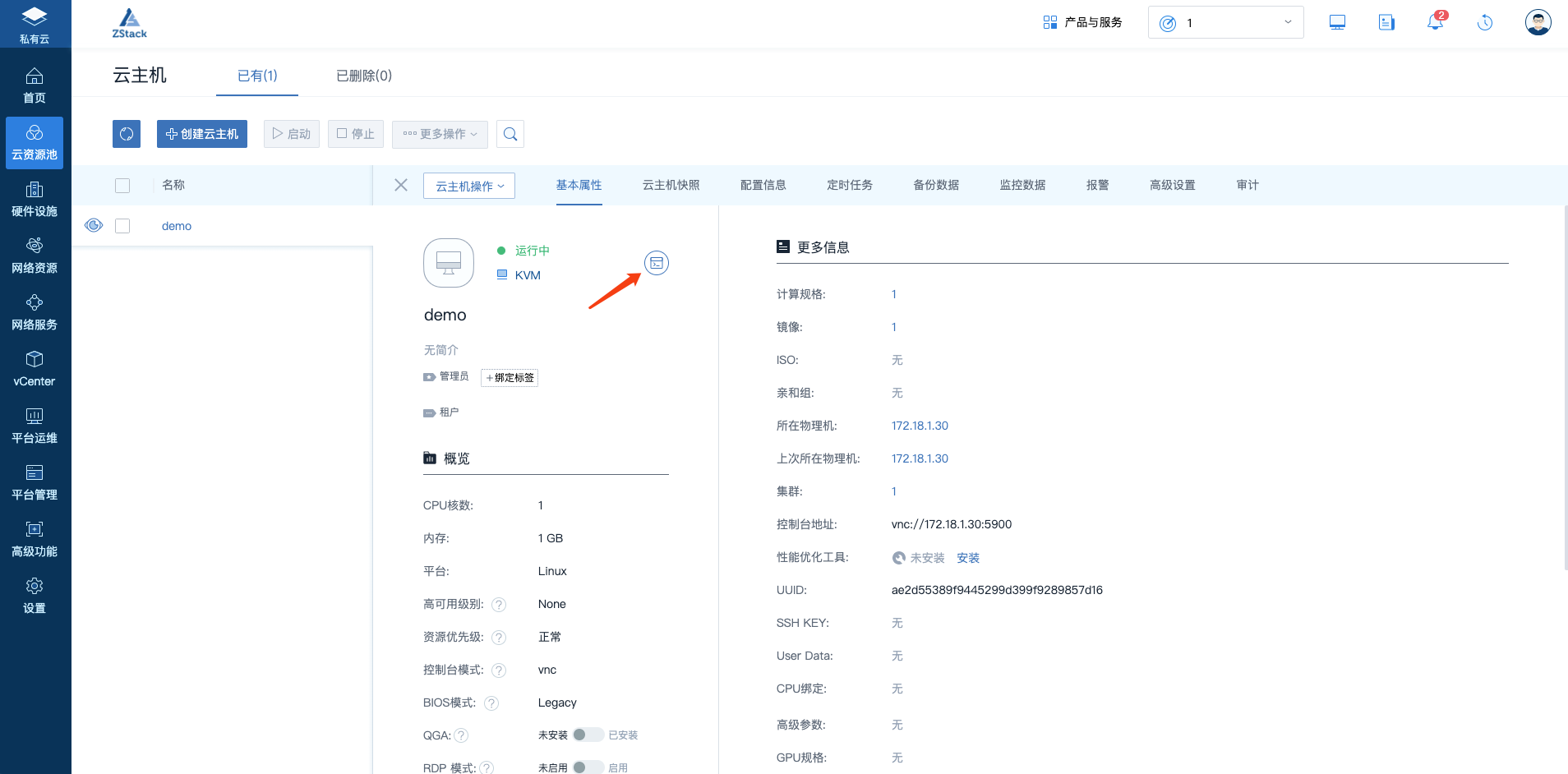
(Figure 7 opens the console)
5. Partition, format, mount the cloud.
1. Partition cloud disks;
# Fdisk-l/dev/vd[a-z]
2. Format the cloud disk;
# Mkfs. Xfs/dev/vdb1
3. Mount
# Chmod +x/etc/rc. Local
# Mkdir/data-1
# Mount/data/data-1
# Echo sleep 5 >>/ Etc/rc. D/rc. Loca
# Echo mount/data/data-1 >>/ Etc/rc. D/rc. Local
6. Copy data from a pre-allocation policy non-falloc cloud disk to a newly mounted cloud disk.
1. Make copies
# Cp/root/data/home/root/data-2
7. [Optional] Specify the target folder where business data is written to/home/root/data-2.
Comments
0 comments
Please sign in to leave a comment.