
Description
The ZStack cloud platform supports Ceph type mirror servers. Ceph type mirror servers upload mirrors in Raw format by default, and Raw format mirror UI does not support mirror export. How do I export Ceph Raw format mirrors?
Environment
Cloud Platform Environment: ZStack Enterprise 3.8.9
Manage Node Environment: Dual Manage Nodes are highly available
Network Environment: Flat Network
Master Storage Environment: Ceph Type Master Storage
Mirror server environment: Ceph type
Physical Machine System: Custom Centos7. 6
Cause
Ceph type primary storage uses Raw format mirroring mainly for performance and reliability. Ceph's Raw format mirroring does not support direct export on the UI. It needs to be exported using Ceph rbd.
Resolution
1. Select mirror in raw format
Log on to the ZStack cloud platform and find the Raw format image to export in the cloud resource pool-mirror
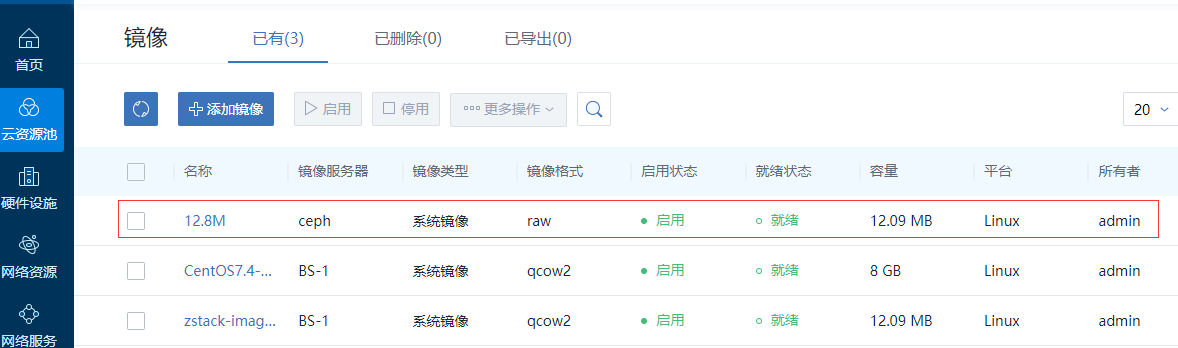
(Figure 1 A Raw format image found for export)
Click the mirror name, find the mirror server path, click Copy
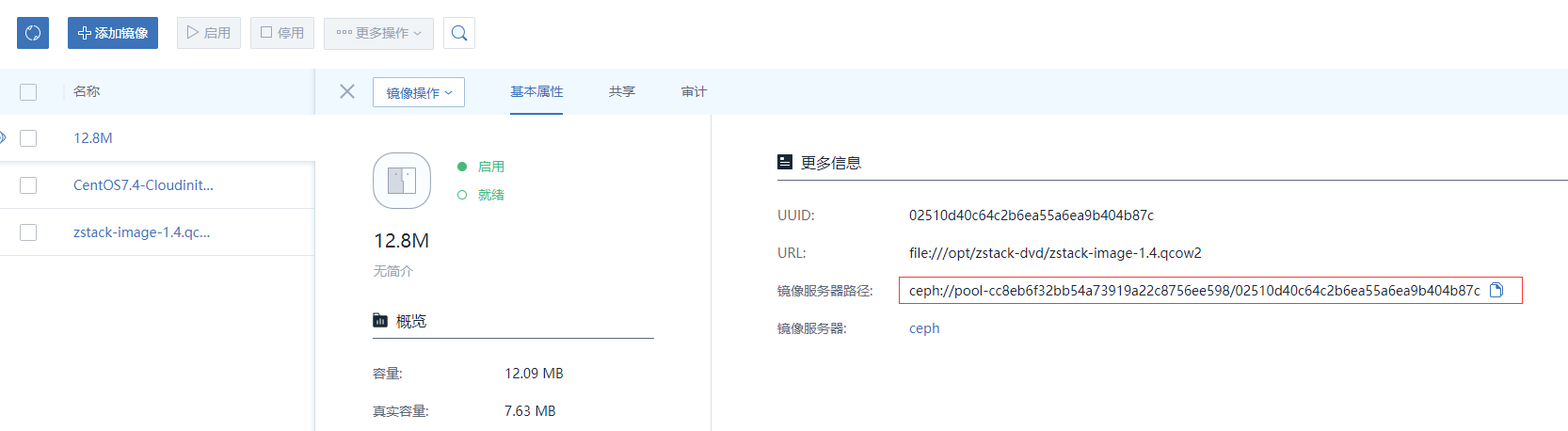
(Figure 2 Copy Mirror Path Link)
Log in to the physical machine where Ceph's Moon node is located to view the health of the Ceph cluster
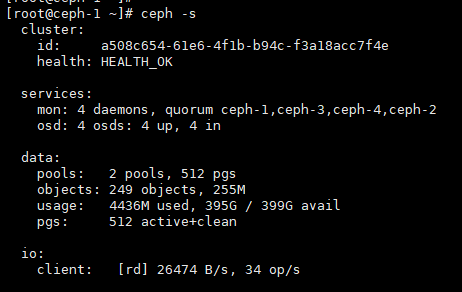
(Figure 3 shows the health of the Ceph cluster)
2. Export raw image
Use the Ceph RBD command to see the size and type of the mirror and determine that it is the same as the mirror on the UI
RBD info pool-cc8eb6f32bb54a73919a22c8756ee598/02510d40c64c2b6ea55a6ea9b404b87c

(Figure 4 uses RBD to view the mirror information)
Mirror export:
RBD export pool-cc8eb6f32bb54a73919a22c8756ee598/02510d40c64c2b6ea55a6ea9b404b87c . / Test. Img

(Figure 5 exports the mirror locally from the Ceph pool)
Qemu-img info test. IMG to see if the exported mirror format is raw and the mirror size is correct.
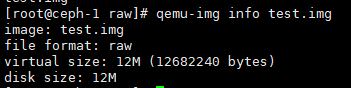
(Figure 6 shows the exported image information)
3. Convert Mirror Format
Converts the exported raw format image to qcow2 format.
Qemu-img convert-f raw-O qcow2 test. Img test. Qcow2

(Fig. 7 Transform Mirror Format)
Check if the image is properly converted to qcow2 format
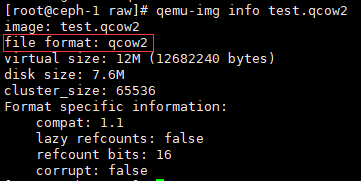
(Figure 8 shows the mirror format)
4. Image upload on cloud platform
Check the path to the file, /root/raw/test. Qcow2
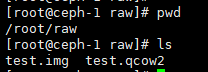
(Figure 9 shows the image image image path)
Add converted qcow2 mirror in cloud resource pool-mirror-add mirror on cloud platform
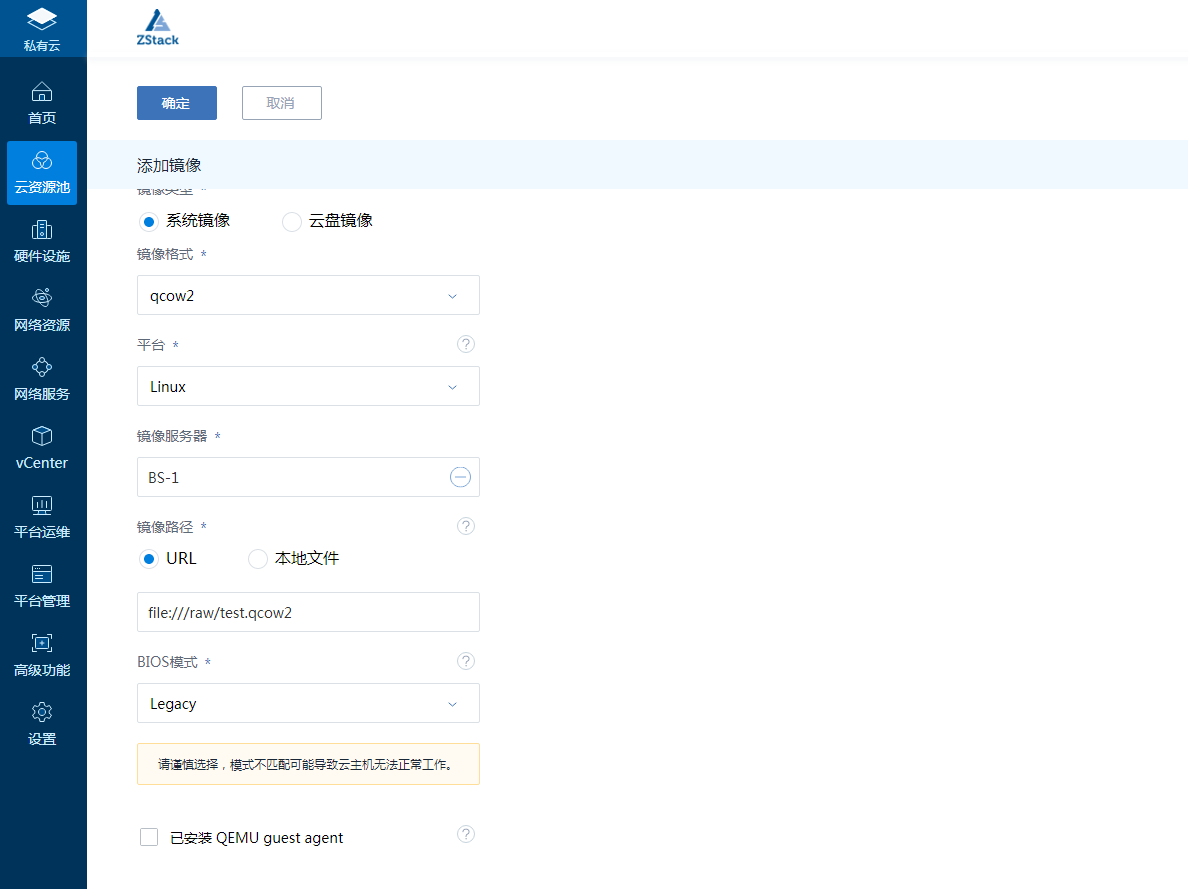
(Figure 10 uploads a mirror server local image via file)
Added Successfully

(Figure 11 shows the qcow2 mirror successfully uploaded platform)
5. Create a cloud host from a Qcow2 mirror
Click Cloud Resource Pool - Cloud Host - Create Cloud Host, select the mirror to convert the uploaded Qcow2 image, check whether the Cloud Host can be created properly, and check the data integrity by landing in the Cloud Host system through the console.
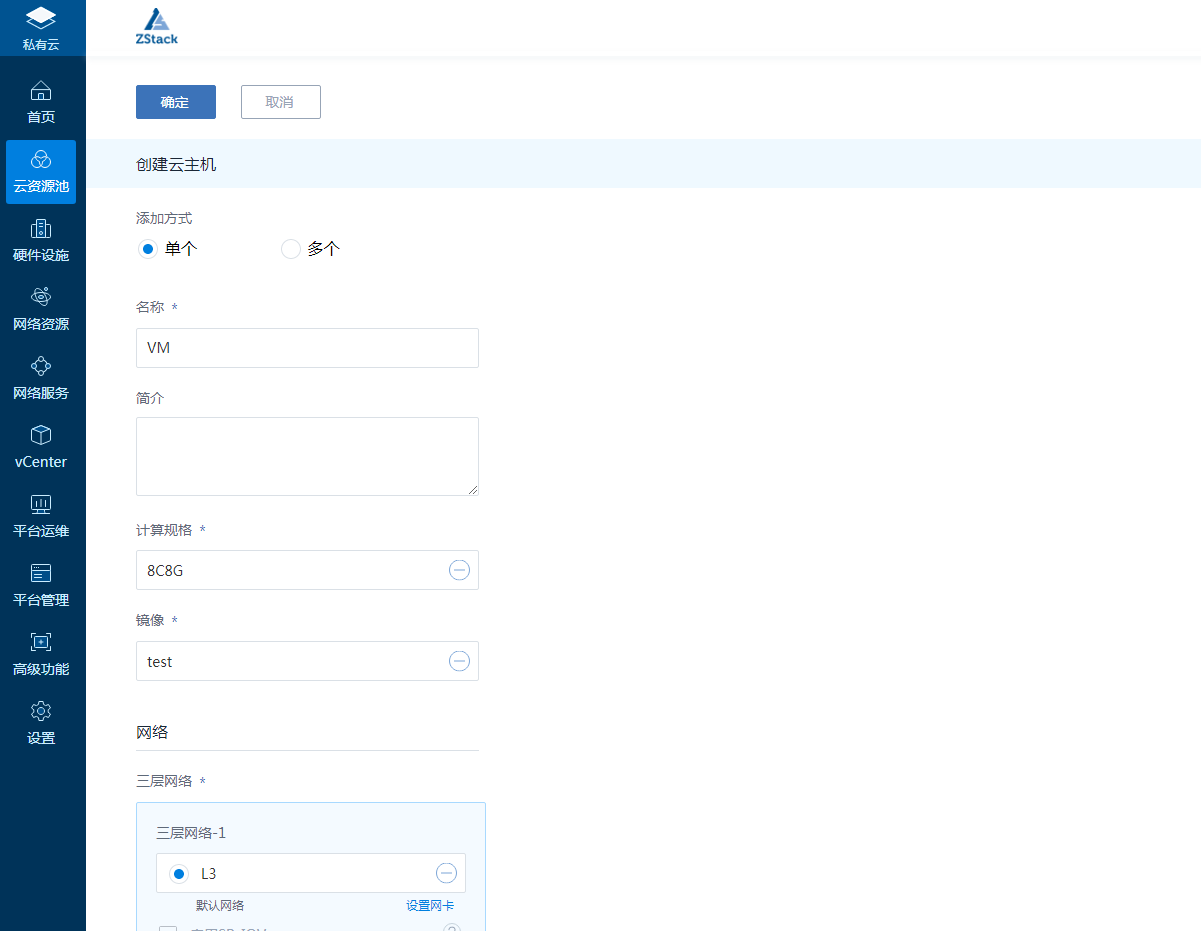
(Figure 12 uses Qcow2 mirroring to create a cloud host)
Comments
0 comments
Please sign in to leave a comment.