
Description
In the local storage environment of ZStack cloud platform, the computing node was unexpectedly powered off, and the cloud host running on the computing node failed to start after restart. The following errors were reported:
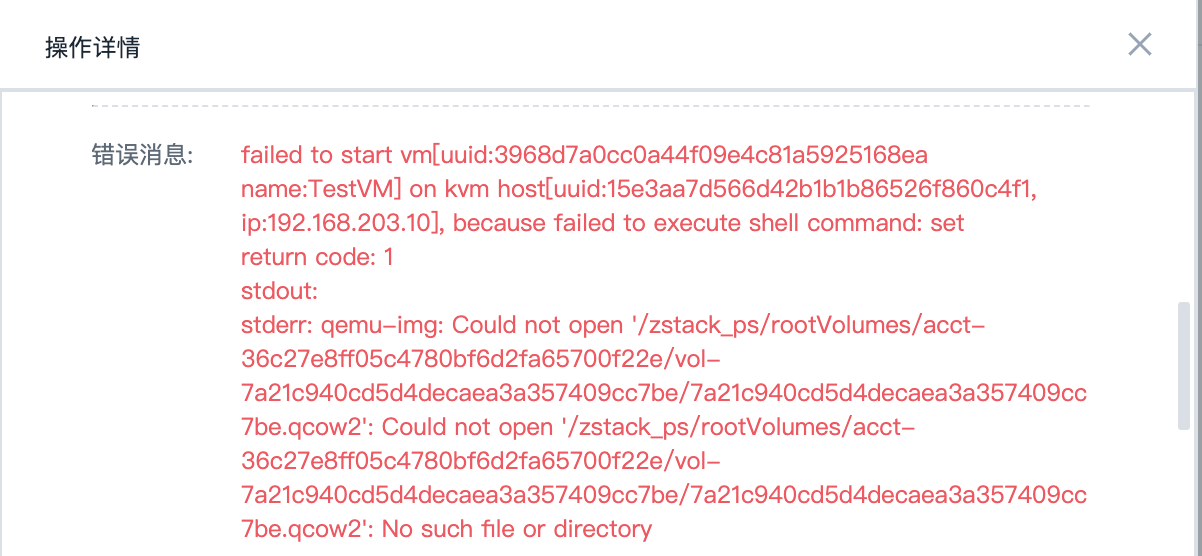
Figure 1 Error message
Environment
Cloud Platform Version: ZStack Cloud Platform Version 3.6.0
Storage: Local Storage
Network: Flat Network
Cloud host operating system type: Centos7. 4 Operating System
Cause
1. Through the above error message, it is found that the virtual disk file can not be found during the start-up process of the cloud host.
2. By calculating the node rc. Local file analysis found that the disk character was used for automatic mounting, and the unexpected restart of the server resulted in a change in the disk character used for local storage on the physical machine:

Figure 2 Disc Character Information
Rc. The local configuration file shows the use of the drive letter sdb.
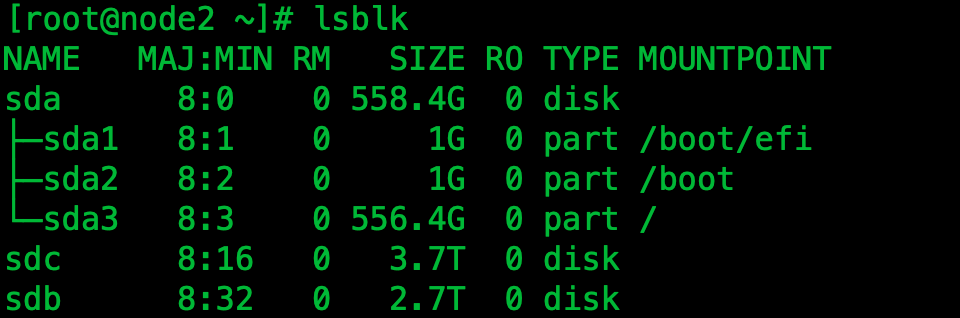
Figure 3 Character Information
After the server restarts, the drive letter becomes sdc, and through the above analysis, it is ultimately located that the cause of the cloud host startup failure is the automatic mount failure caused by a change in the physical host storage disk.
Resolution
1. In order to prevent the direct use of disk character partitions from changing, it is recommended to mount using UUID. You can query the disk UUID using the following commands:
Ll - A / Dev/disk/by-uuid/ | Grep SDC

Figure 4 Disk UUID
2. Manually mount mount/dev/disk/by-uuid/UUID/ZStack_first Ps/
Mount / Dev/disk/by-uuid/690bfc83-1d7c-4c0a-b35c-fa494143efc0 / Zstack_ Ps/
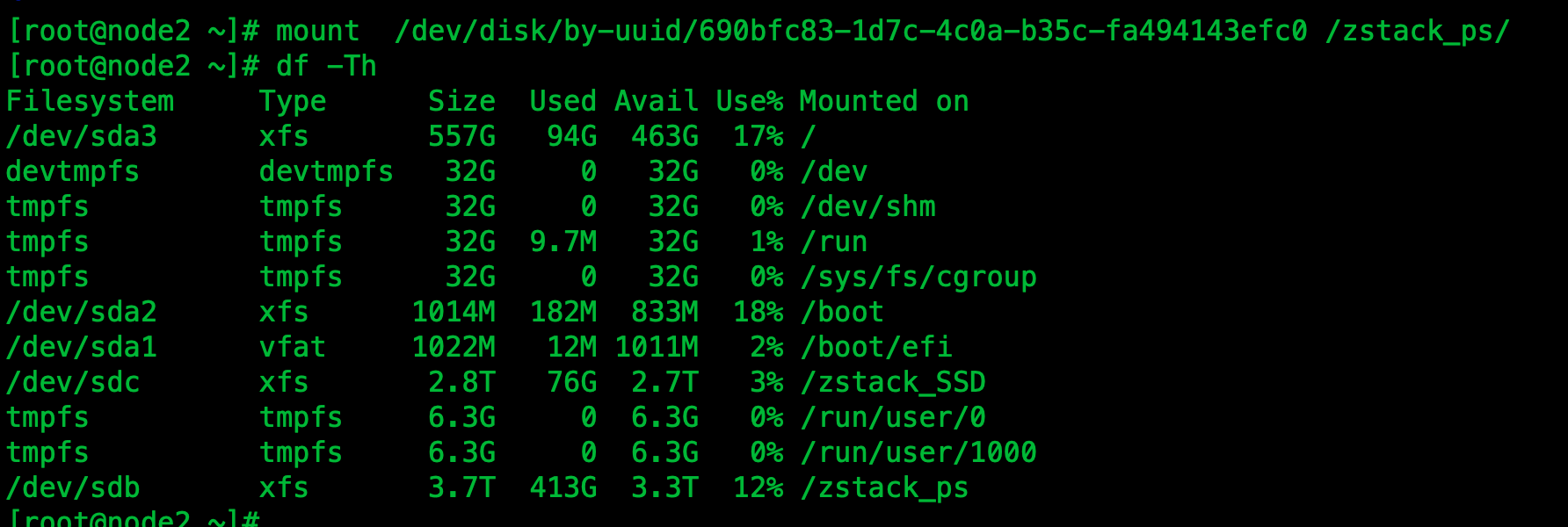
Figure 5 Mount Disk
Once the primary storage directory is mounted, the physical machine and primary storage need to be reconnected on the UI interface:
Reconnect the physical machine:
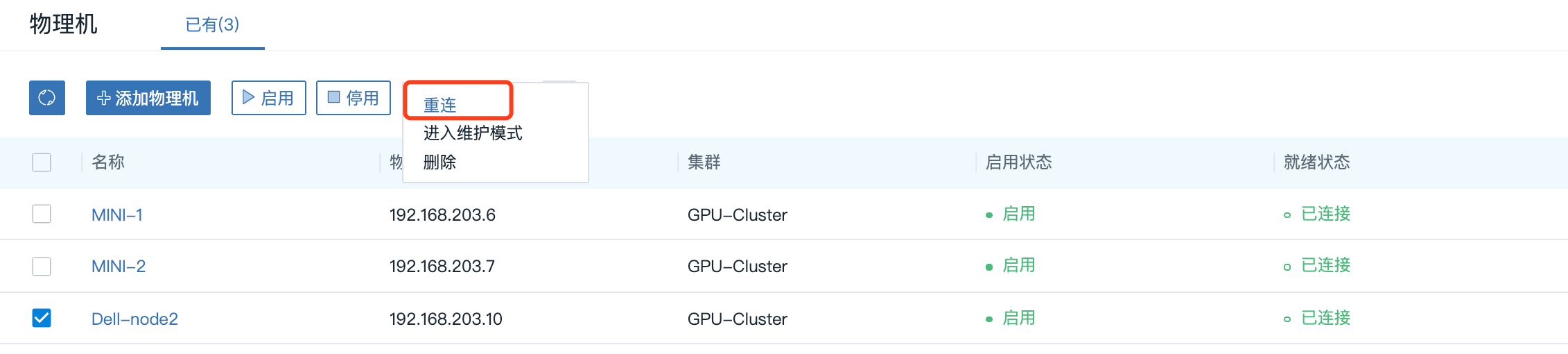
Figure 6 Reconnect Physical Machine
Reconnect primary storage:
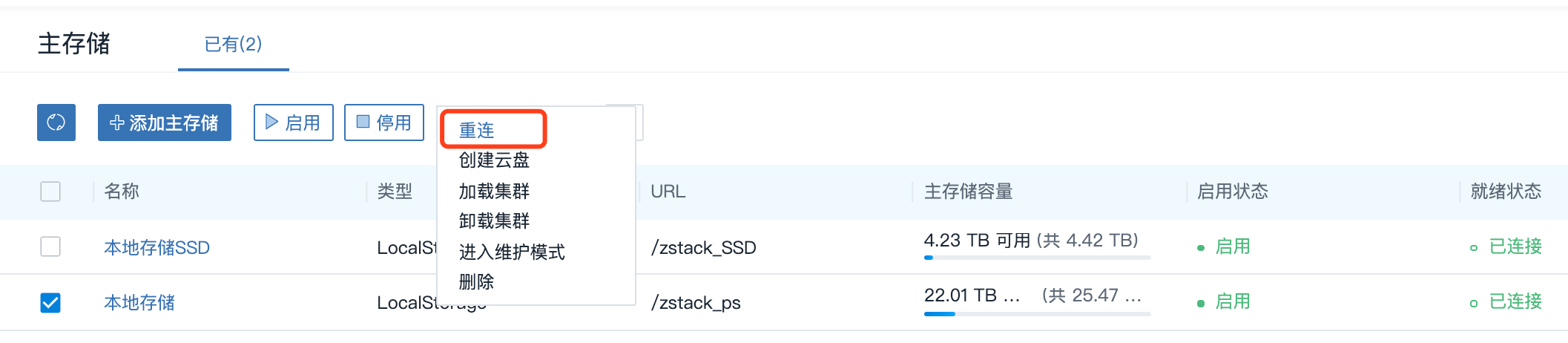
Figure 7 Reconnects to main storage
Restart the cloud host again after reconnecting the physical machine to the primary storage;

Figure 8 Restart the cloud host
By reloading and reconnecting the physical machine, the cloud host can start up and run normally after primary storage.
3. In order to ensure that the next abnormal restart of the physical machine will not affect the normal operation of the cloud host, it is necessary to configure the automount again. The operation commands are as follows:
Chmod + X / Etc/rc. D/rc. Local && Chmod + X / Etc/rc. Local; Vim / Etc/rc. Local
Is rc. Local adds permissions; Edit rc. Add the following when localizing:
Mount / Dev/disk/by-uuid/690bfc83-1d7c-4c0a-b35c-fa494143efc0 / Zstack_ Ps/
Comments
0 comments
Please sign in to leave a comment.